# 메인

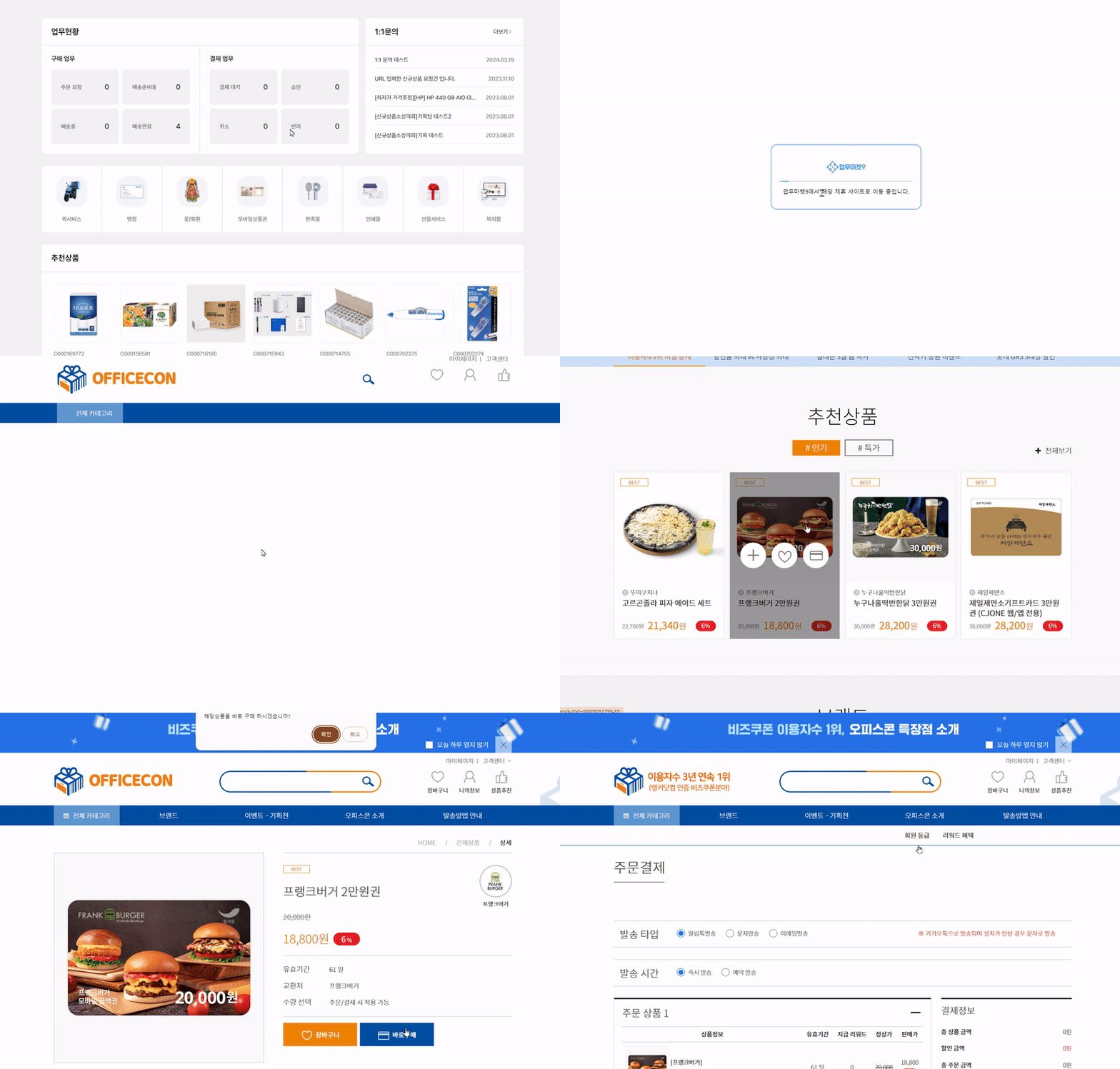
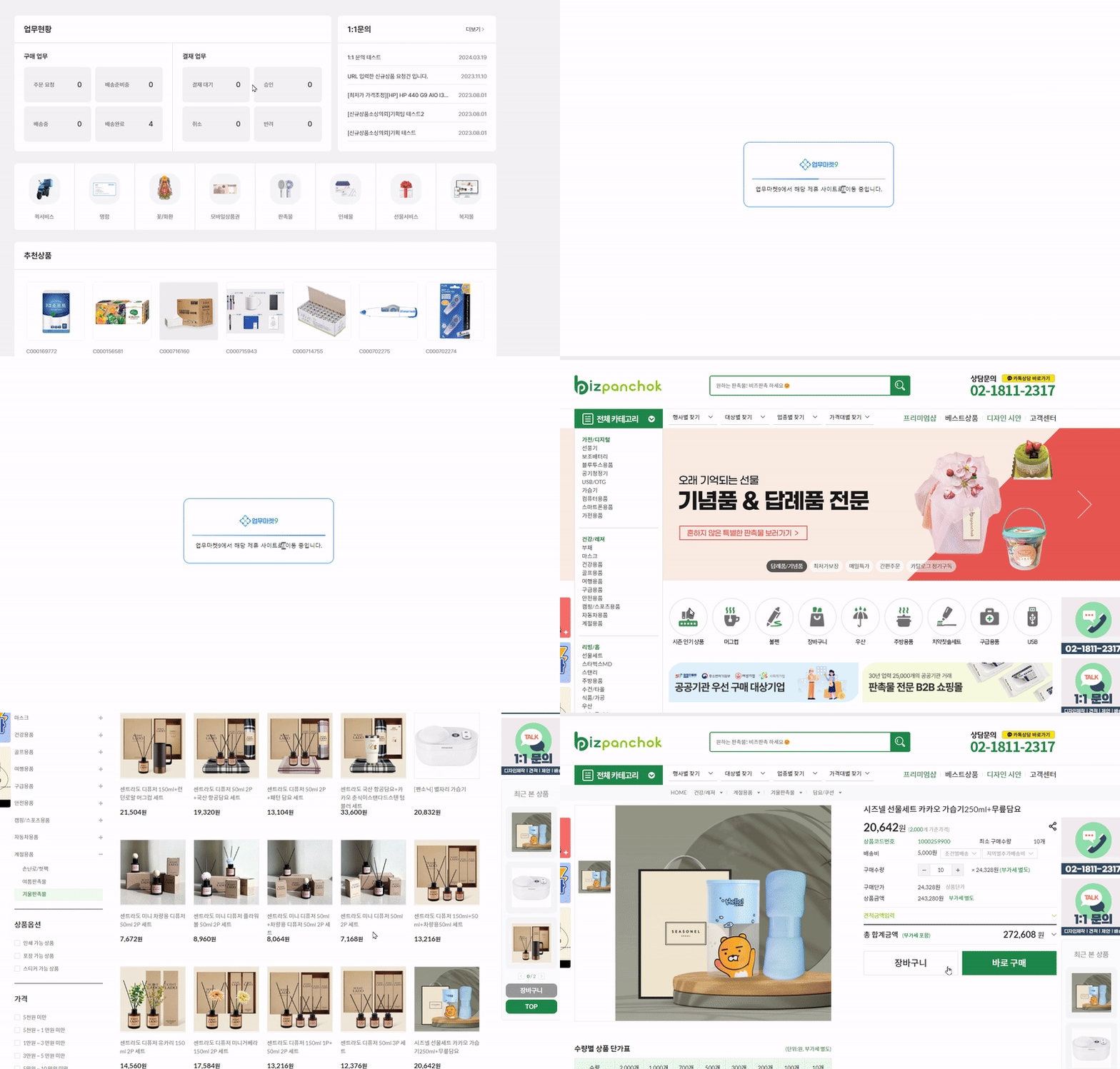
<div data-full-width="false"><figure><img src="/files/Lk22cBXPOkmC28INhvsd" alt=""><figcaption><p>업무마켓9 메인 페이지(<a href="https://buyr.workmarket9.com/">링크</a>)</p></figcaption></figure></div>

<table><thead><tr><th>Index</th><th data-hidden></th><th data-hidden></th><th data-hidden data-type="files"></th></tr></thead><tbody><tr><td><ul><li><a data-mention href="#signup">#signup</a></li><li><a data-mention href="#id-2">#id-2</a></li><li><a data-mention href="#id-3">#id-3</a></li><li><a data-mention href="#id-4-1-1">#id-4-1-1</a></li><li><a data-mention href="#id-5">#id-5</a></li><li><a data-mention href="#id-6">#id-6</a></li><li><a data-mention href="#id-7">#id-7</a></li></ul></td><td></td><td></td><td></td></tr></tbody></table>

***

## #1 GNB <a href="#signup" id="signup"></a>

<figure><img src="/files/ocBtInZ94cMY7KpIyFtF" alt=""><figcaption><p>업무마켓9 메인페이지 GNB</p></figcaption></figure>

:white\_check\_mark: **체크 포인트**

* 1️⃣ **오피스 마켓**
  * 업무와 관련된 제품들을 카테고리별로 확인하고 구매할 수 있는 페이지
* 2️⃣ **간편 주문**
  * 최근 구매했거나, 자주 구매하거나, 관심 상품으로 등록한 제품들을 한 곳에서 확인할 수 있는 페이지&#x20;
* 3️⃣ **견적 문의**
  * IT개발(홈페이지, 앱 개발 등), 마케팅(퍼포먼스, 콘텐츠 마케팅 등), 인사총무(연말정산, 이사 등) 견적형으로 진행되는 프로젝트를 의뢰할 수 있는 페이지
* 4️⃣ **이용 방법**
  * 업무마켓9을 편하게 이용할 수 있는 가이드를 확인할 수 있는 페이지

***

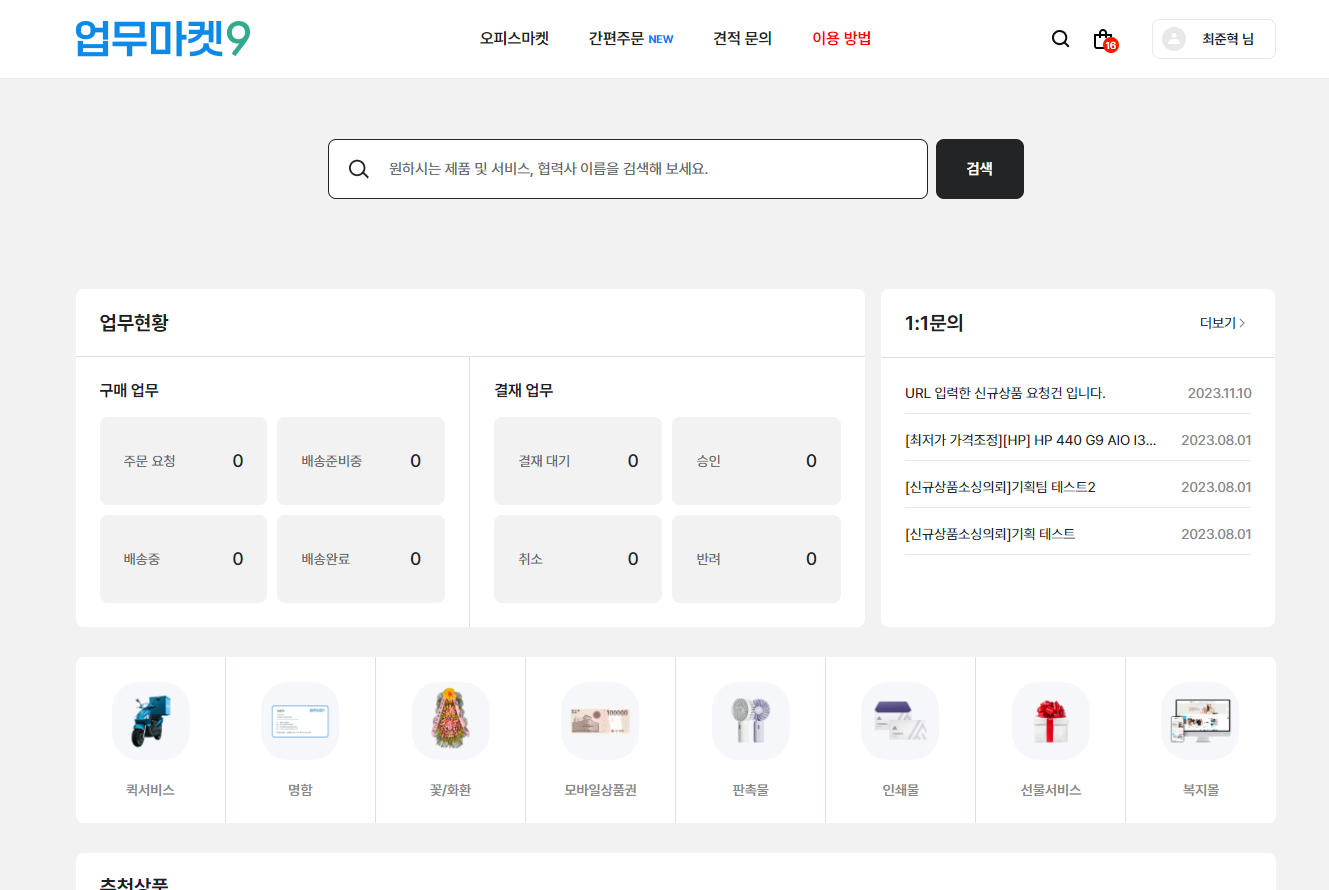
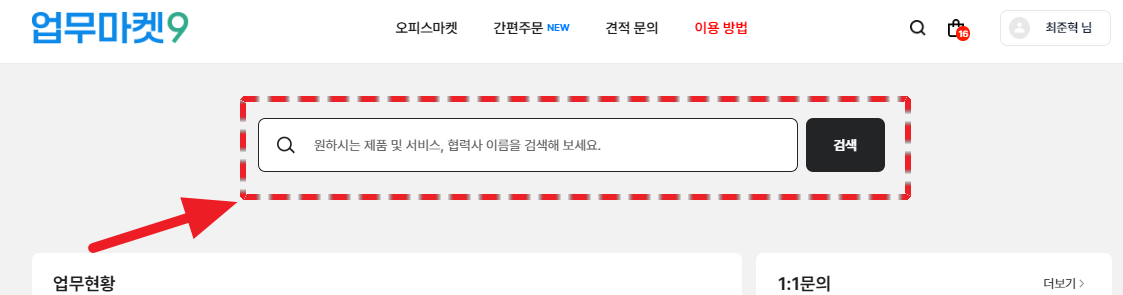
## #2 검색

<figure><img src="/files/jEIhOcVi9Nf70FeeFEyf" alt=""><figcaption></figcaption></figure>

:white\_check\_mark: **체크 포인트**

* **검색창**
  * 제품과 서비스를 <mark style="background-color:yellow;">한번에 통합 검색</mark>할 수 있습니다. &#x20;
  * 검색창을 통해 필요한 제품과 서비스를 찾아 보세요.&#x20;

***

## #3 업무현황

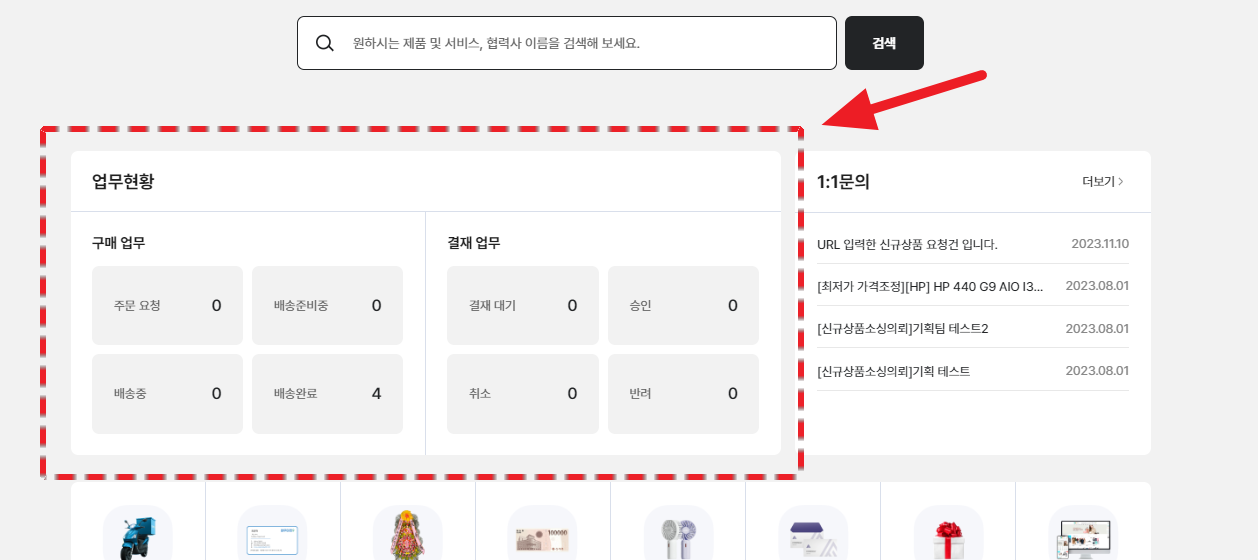
<figure><img src="/files/aACMWp1IFDArhuV3U88u" alt=""><figcaption><p>업무마켓9 메인페이지 업무 현황</p></figcaption></figure>

:white\_check\_mark: **체크 포인트**

* **1️⃣ 구매 업무**
  * **주문 요청**
    * 주문 요청한 제품의 수를 확인할 수 있습니다.
  * **배송 준비중**
    * 배송 준비중인 상태에 있는 주문 건의 수를 확인할 수 있습니다.
  * **배송중**
    * 현재 배송중인 주문 건의 수를 확인할 수 있습니다.
  * **배송완료**
    * 배송완료된 주문 건의 수를 확인할 수 있습니다.

* **2️⃣ 결재 업무**
  * **결재 대기**
    * 결재 요청한 건들 중 아직 '**대기중**'인 건의 수를 확인할 수 있습니다.
  * **승인**
    * 결재 요청 건 중 '**승인**' 처리된 건의 수를 확인할 수 있습니다.
  * **취소**
    * 결재 요청 건 중 '**취소**' 처리된 건의 수를 확인할 수 있습니다.
  * **반려**
    * 결재 요청 건 중 '**반려**' 처리된 건의 수를 확인할 수 있습니다.

***

## #4 1:1 문의

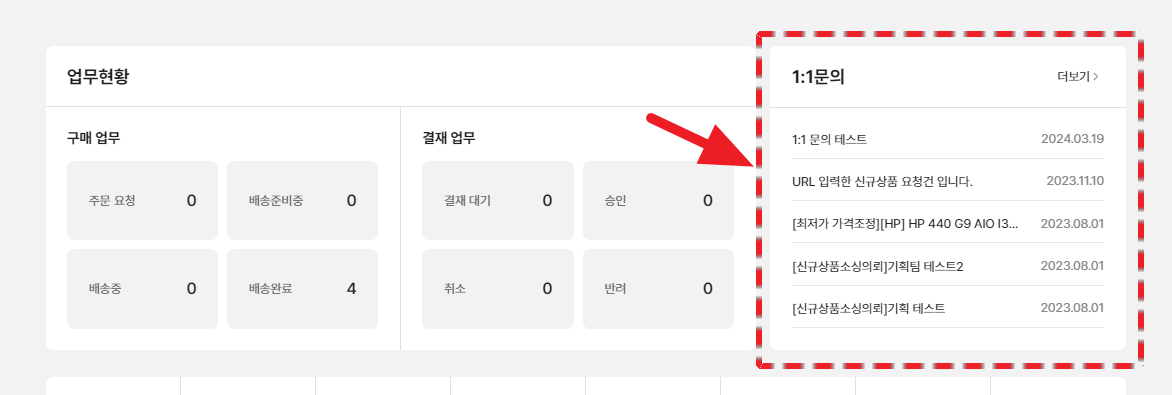
<figure><img src="/files/hxpkS8ldZcoo5w85aOKi" alt=""><figcaption><p>업무마켓9 메인페이지 1:1 문의 게시판</p></figcaption></figure>

:white\_check\_mark: **체크 포인트**

* 1:1 문의 등록 내역을 확인할 수 있습니다. (최대 5개 노출)

***

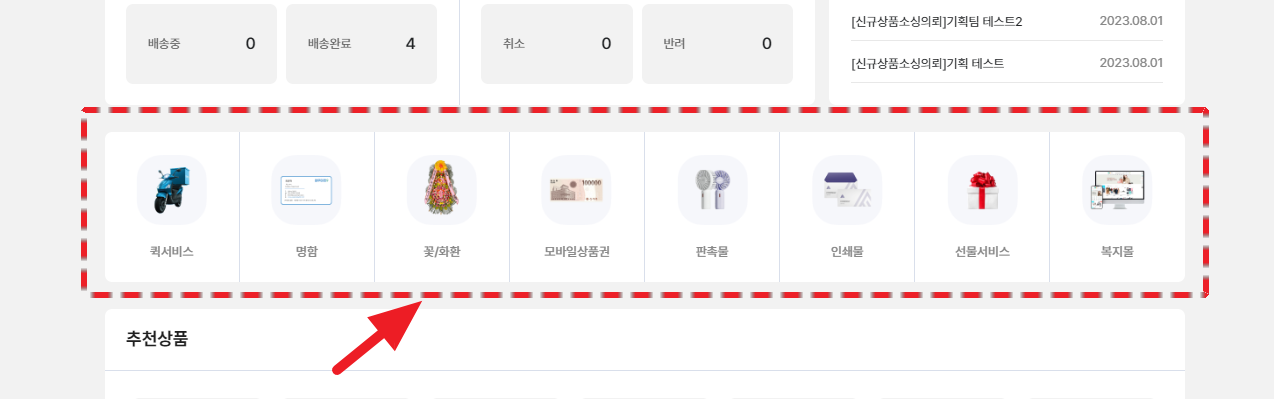
## #5 이용 가능 서비스

<figure><img src="/files/aduCwOOtWywSvCF6YFEu" alt=""><figcaption><p>업무마켓9 메인페이지 이용 가능한 서비스</p></figcaption></figure>

:white\_check\_mark: **체크 포인트**

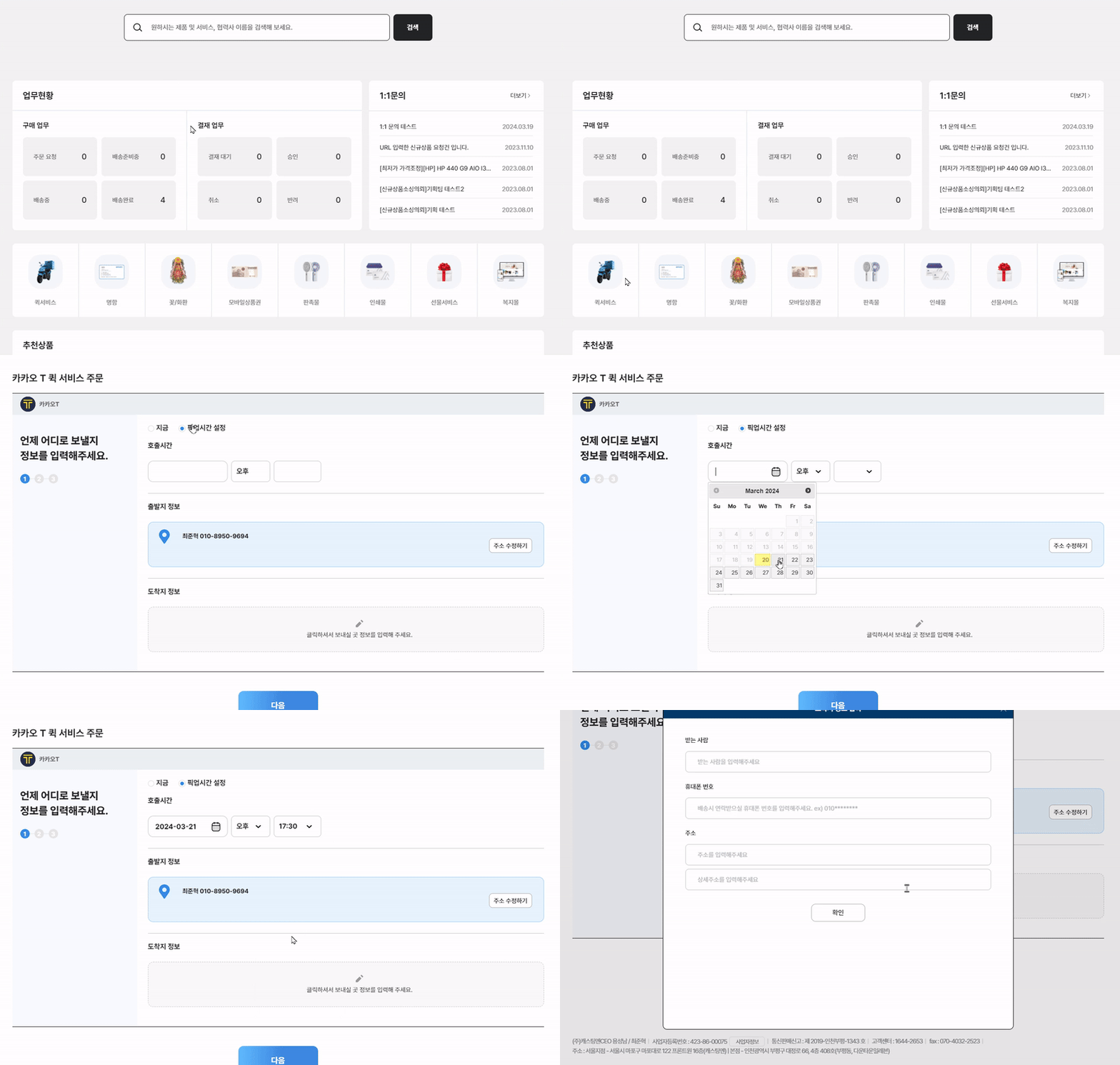
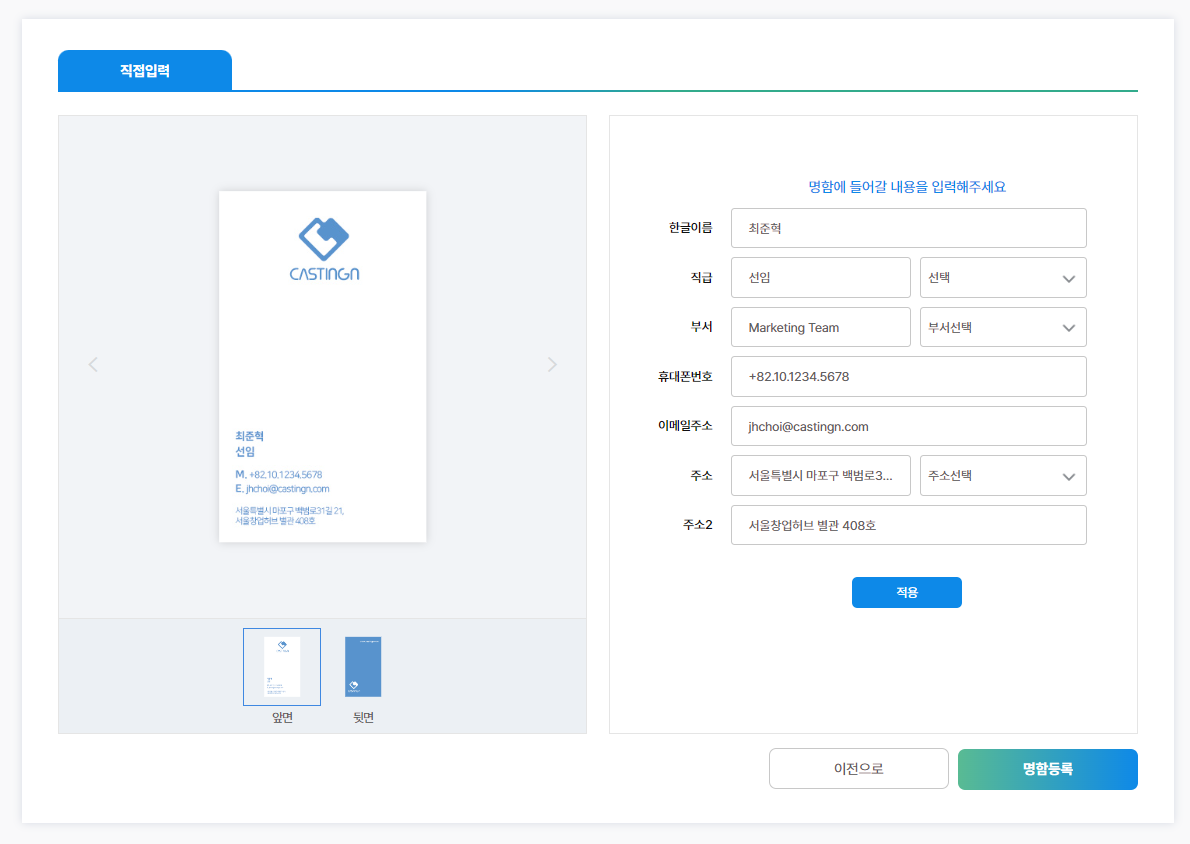
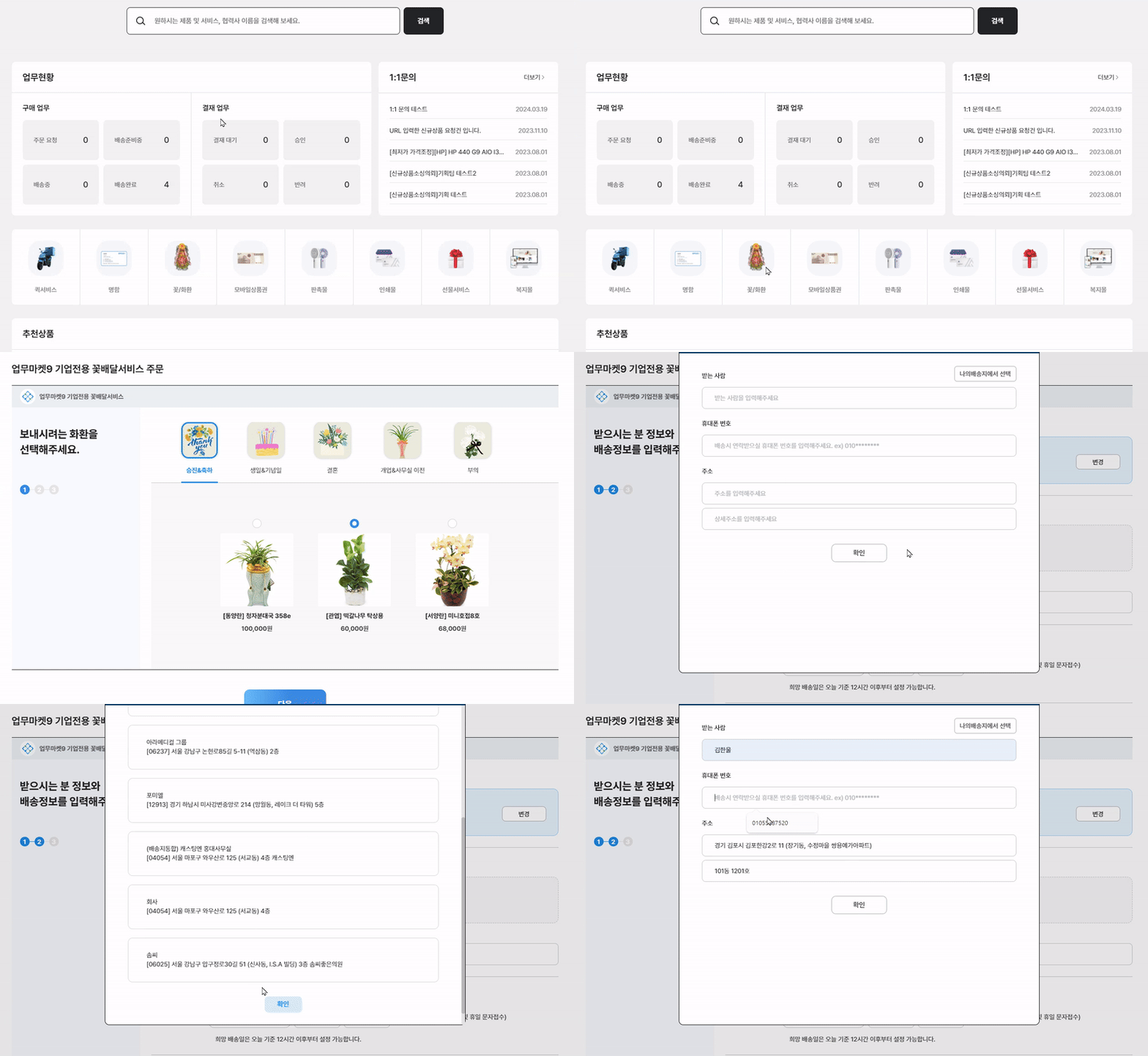
* <mark style="background-color:yellow;">**업무마켓9 계정 하나만 있으면!**</mark> 퀵서비스, 명함, 꽃/화환, 모바일상품권 등 모든 서비스 이용 가능
* 관리자 페이지를 통해 통합으로 관리 (in 마이페이지)

{% tabs %}
{% tab title="퀵서비스" %}

<figure><img src="/files/5TeWu6BbSCc3DcSrPXi5" alt=""><figcaption><p>업무마켓9 퀵 서비스 주문 화면</p></figcaption></figure>
{% endtab %}

{% tab title="명함" %}

<figure><img src="/files/ZyYahJtceAi0ItJlHjnf" alt=""><figcaption></figcaption></figure>
{% endtab %}

{% tab title="꽃/화환" %}

<figure><img src="/files/LqcGKUOz5s3pc4GiHpcb" alt=""><figcaption><p>업무마켓9 화환 서비스 진행 화면</p></figcaption></figure>
{% endtab %}

{% tab title="모바일상품권" %}

<figure><img src="/files/GccP08M40o5fMcjSg5tB" alt=""><figcaption><p>업무마켓9 모바일 상품권 서비스 진행 화면</p></figcaption></figure>
{% endtab %}

{% tab title="판촉물" %}

<figure><img src="/files/PFkNy1g1g4fUpsPEXhHA" alt=""><figcaption><p>업무마켓9 판촉물 서비스 진행 화면</p></figcaption></figure>
{% endtab %}
{% endtabs %}

***

## #6 추천 상품

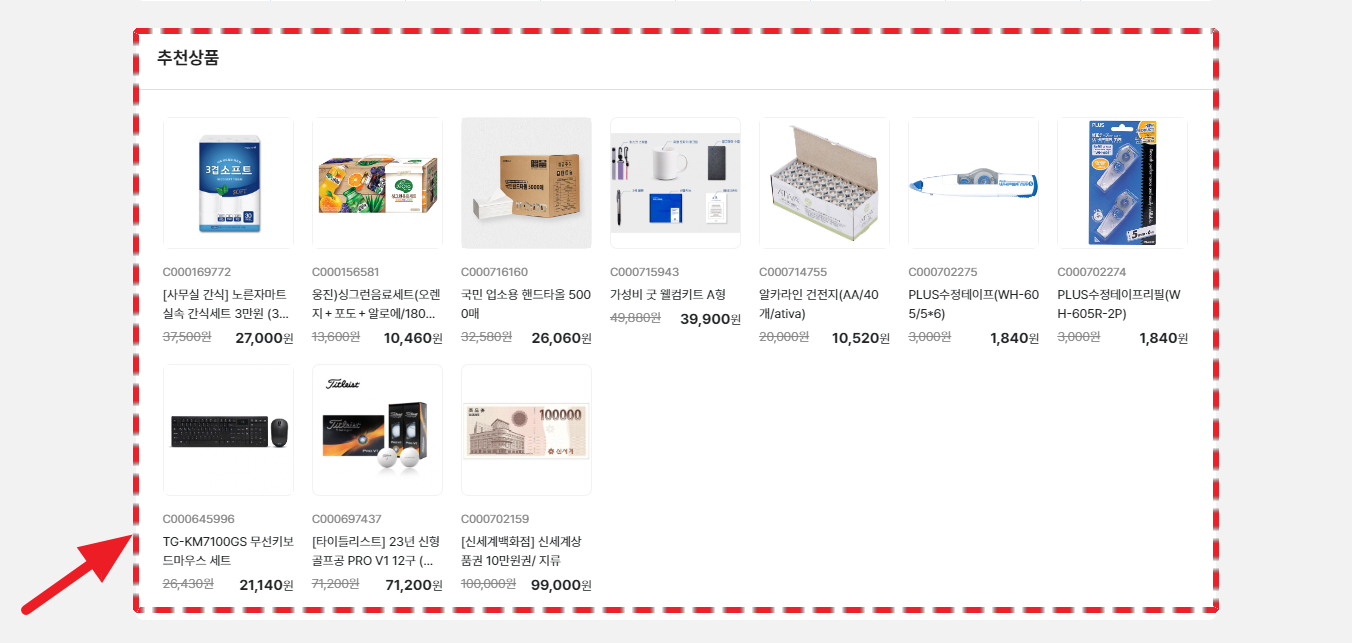
<figure><img src="/files/qACfNAqhNDHMyN6la1Yy" alt=""><figcaption><p>업무마켓9 메인페이지 추천 상품 리스트</p></figcaption></figure>

:white\_check\_mark: **체크 포인트**

* 업무마켓9 전문MD가 당일 트랜드, 할인율 등을 확인하고 <mark style="background-color:yellow;">10가지 베스트상품을 선정해 추천</mark>합니다.

***

## #7 자주 구매하는 제품

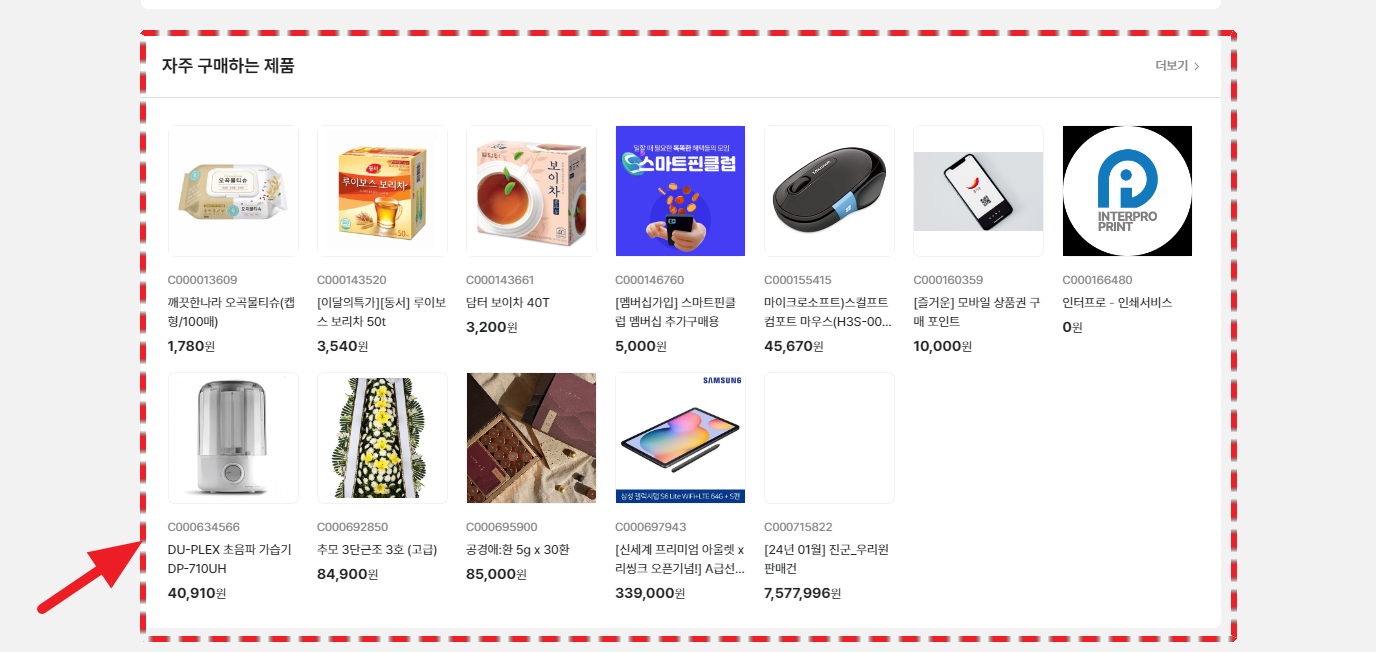
<figure><img src="/files/buFehdB6skKS4cV3cTu4" alt=""><figcaption><p>업무마켓9 메인페이지 자주 구매하는 제품 리스트</p></figcaption></figure>

:white\_check\_mark: **체크 포인트**

* 업무마켓9에서 <mark style="background-color:yellow;">자주 구매한 제품의 리스트</mark>를 볼 수 있습니다.
* <mark style="background-color:yellow;">1개월 이내 구매 이력이 있는 제품들이 노출</mark> 됩니다.

***

{% hint style="success" %}
**업무마켓9은 서비스를 사용하시는 유저 분들의 편의에 따라 구성되고, 개선됩니다.** 관련해서 불편사항이 생기시면 언제든지 전달주시기 바랍니다.\
\
계속해서 '**오피스마켓**' 페이지를 공부하러 가볼까요?&#x20;
{% endhint %}


---

# Agent Instructions: Querying This Documentation

If you need additional information that is not directly available in this page, you can query the documentation dynamically by asking a question.

Perform an HTTP GET request on the current page URL with the `ask` query parameter:

```
GET https://guide.workmarket9.com/special/pages/main.md?ask=<question>
```

The question should be specific, self-contained, and written in natural language.
The response will contain a direct answer to the question and relevant excerpts and sources from the documentation.

Use this mechanism when the answer is not explicitly present in the current page, you need clarification or additional context, or you want to retrieve related documentation sections.