> For the complete documentation index, see [llms.txt](https://guide.workmarket9.com/w9/llms.txt). Markdown versions of documentation pages are available by appending `.md` to page URLs; this page is available as [Markdown](https://guide.workmarket9.com/w9/pages/eazyorder.md).
# 간편주문
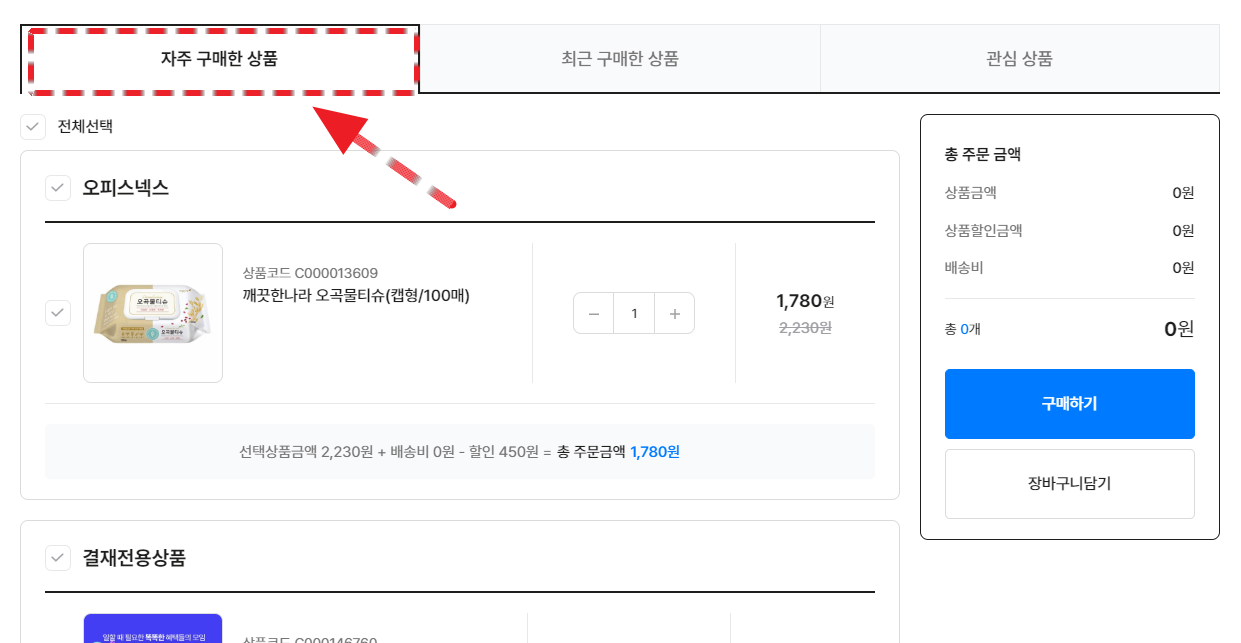
기업의 구매 담당자의 업무 특성에 맞춘 편의 기능을 한 페이지에서 만날 수 있습니다. 기존 고객들의 호평을 받고 있는 \[자주 구매한 상품], \[최근 구매한 상품], \[관심 상품] 기능의 '간편주문' 페이지를 만나 보세요.
{% hint style="danger" %}
**잠깐! 해당 페이지는 로그인 상태에서만 확인 가능해요.**
{% endhint %}
로그인하지 않은 상태에서는 접근이 어려워요
***
{% hint style="success" %}
**로그인 상태라면 아래 페이지를 만날 수 있습니다.**
{% endhint %}
* 6개월 내 구매한 이력이 있는 제품을 전체 또는 일부 선택해 구매할 수 있습니다.
***
## #2 최근 구매한 상품
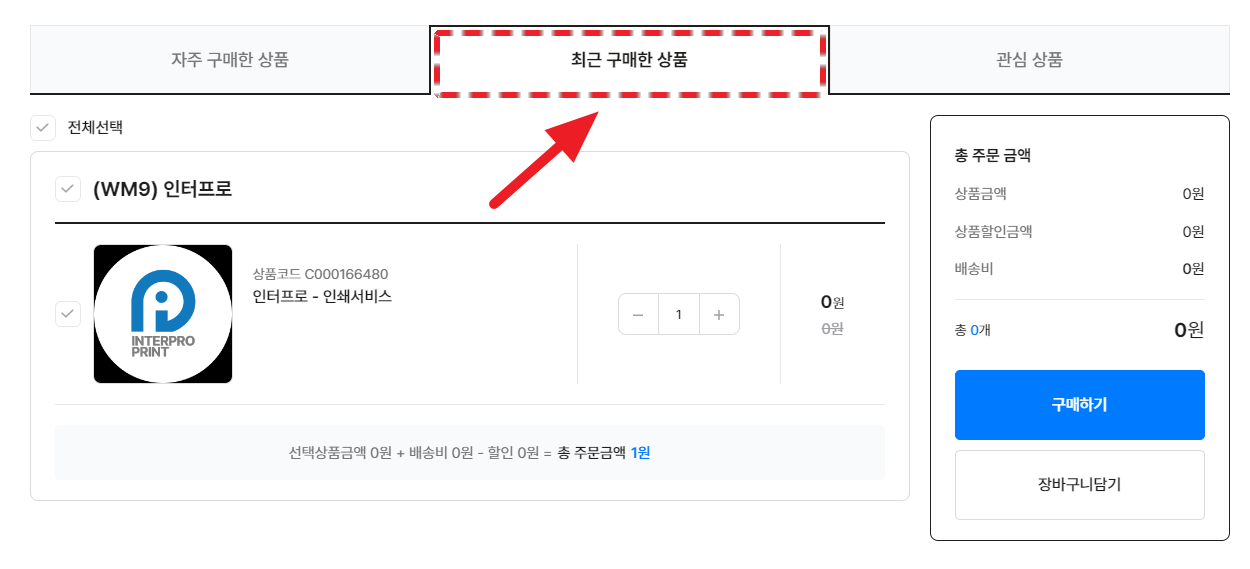
업무마켓9 최근 구매한 상품 페이지
* 1개월 내 구매한 이력이 있는 제품을 전체 또는 일부 선택해 구매할 수 있습니다.
***
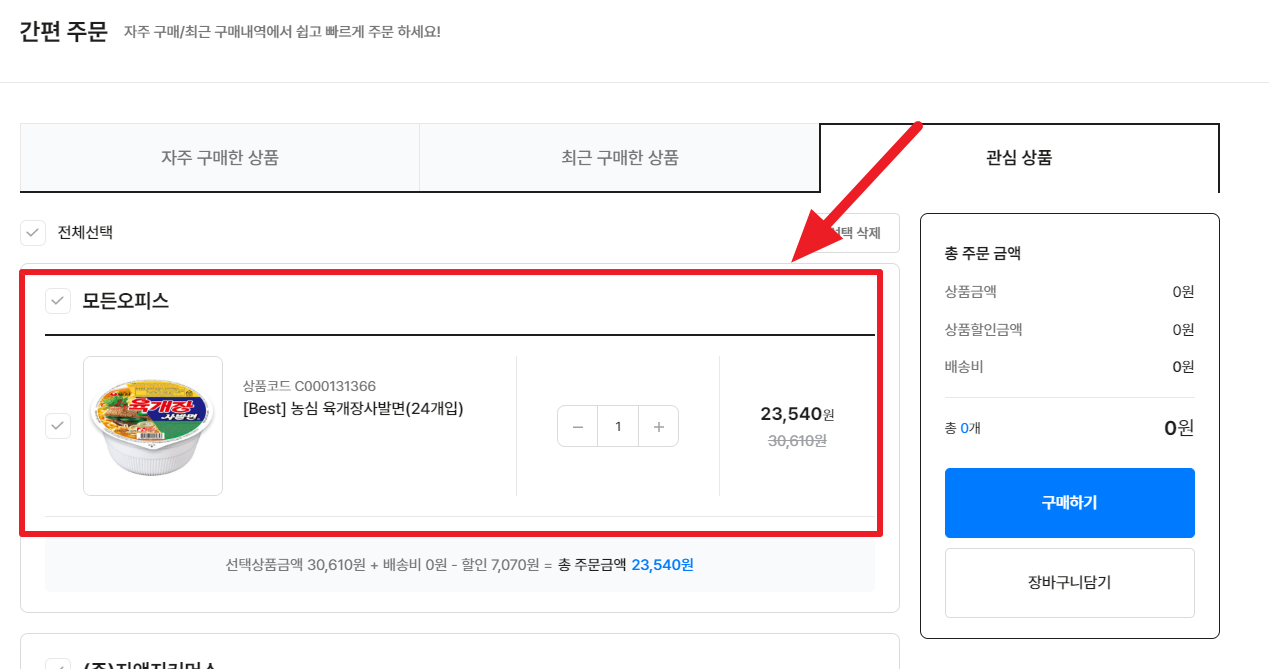
## #3 관심상품
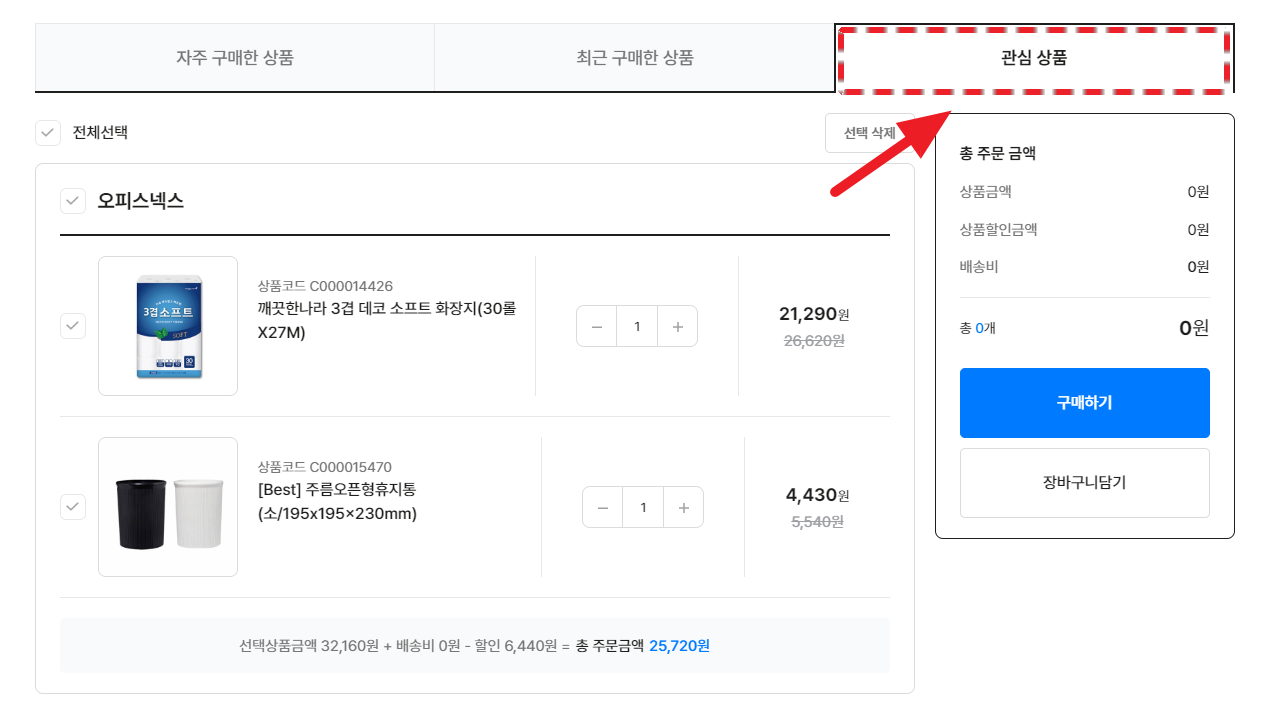
업무마켓9 관심 상품 페이지
* '좋아요' 한 제품 리스트를 한 곳에서 모아볼 수 있습니다.
{% hint style="info" %}
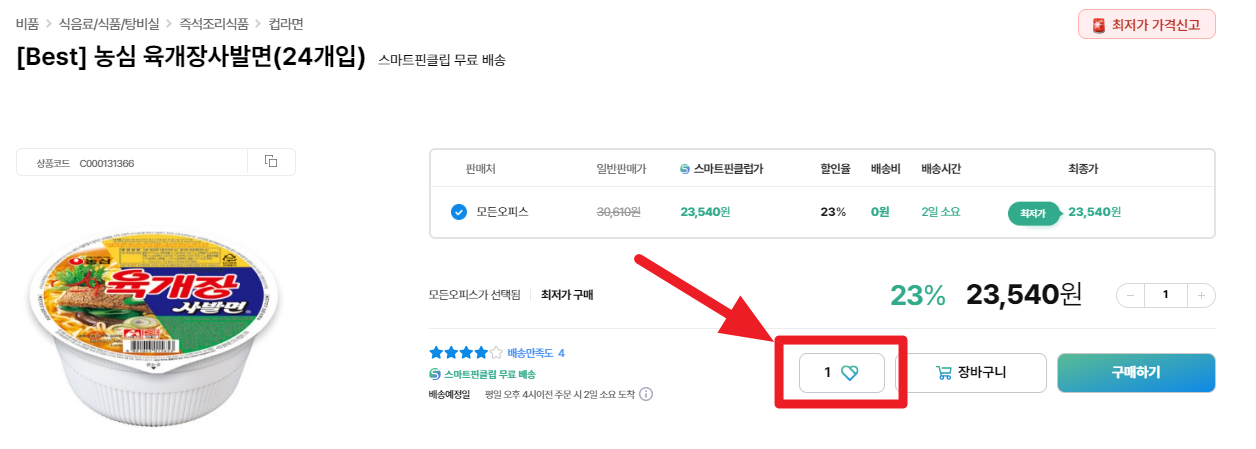
**제픔페이지에서 마음에 드는 상품을 '찜' 해보세요. 관심상품 페이지에서 한 번에 확인할 수 있습니다.**
{% endhint %}
{% tabs %}
{% tab title="1. 마음에 드는 상품 '좋아요' 누르기" %}
* 제품 상세 페이지에서 **'****♡****' 모양을 클릭**하면 해당 상품을 **'관심상품'으로 등록**할 수 있어요.
{% endtab %}
{% tab title="2. 간편주문 확인하기(관심상품)" %}
* **'관심 상품' 페이지에서 방금 '찜' 해둔 상품을 확인 할 수 있습니다.**
{% endtab %}
{% endtabs %}
{% hint style="info" %}
**'간편주문 진행하기'를 더 자세하게 이해하고 싶다면?**
* 데모 영상을 통해 신규상품 요청하기를 체험해보세요!( [(데모) 통합 구매하기](/w9/start/test/total-1.md#id-3) :point\_left: **클릭!**)
{% endhint %}
***
{% hint style="success" %}
**업무마켓9의 간편주문 기능을 확인했습니다 :)**
다음은 업무마켓9이 특별한 이유, 견적 문의 페이지에 대해 알아볼 차례입니다.
{% endhint %}