> For the complete documentation index, see [llms.txt](https://guide.workmarket9.com/w9/llms.txt). Markdown versions of documentation pages are available by appending `.md` to page URLs; this page is available as [Markdown](https://guide.workmarket9.com/w9/pages/mypage.md).
# 마이페이지
업무마켓9의 주요 특징 중 하나는 '통합관리', '통합구매' 입니다. 이 기능들은 모두 마이페이지에 숨어있는데요. 그렇기 때문에 업무마켓9의 어느 페이지들보다 가장 중요한 부분이라고 할 수 있습니다. 지금부터 '마이페이지'에 대해 알아보겠습니다 :)
***
## 마이페이지 위치와 기능
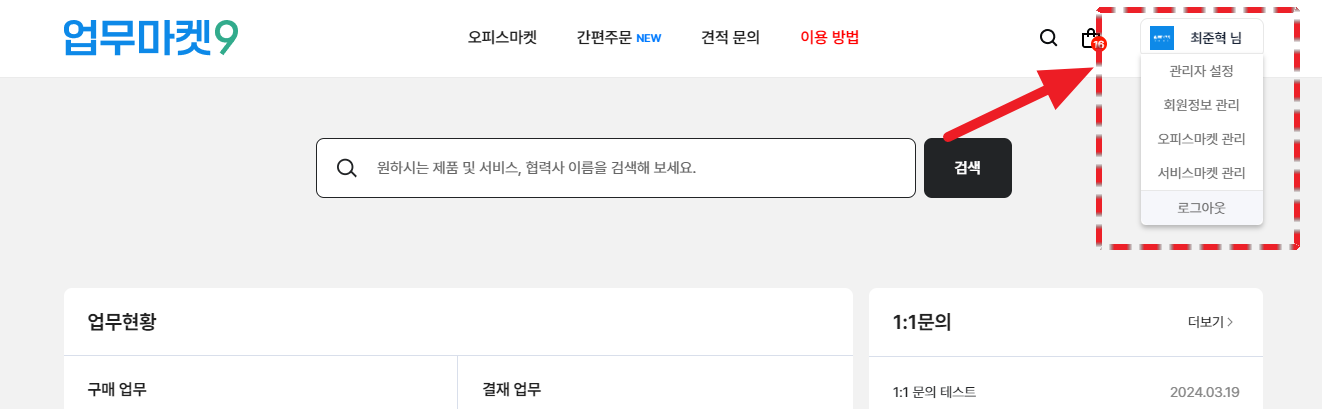
* **위치**
* 업무마켓9 우측 상단에 위치하고 있습니다.
* **기능**
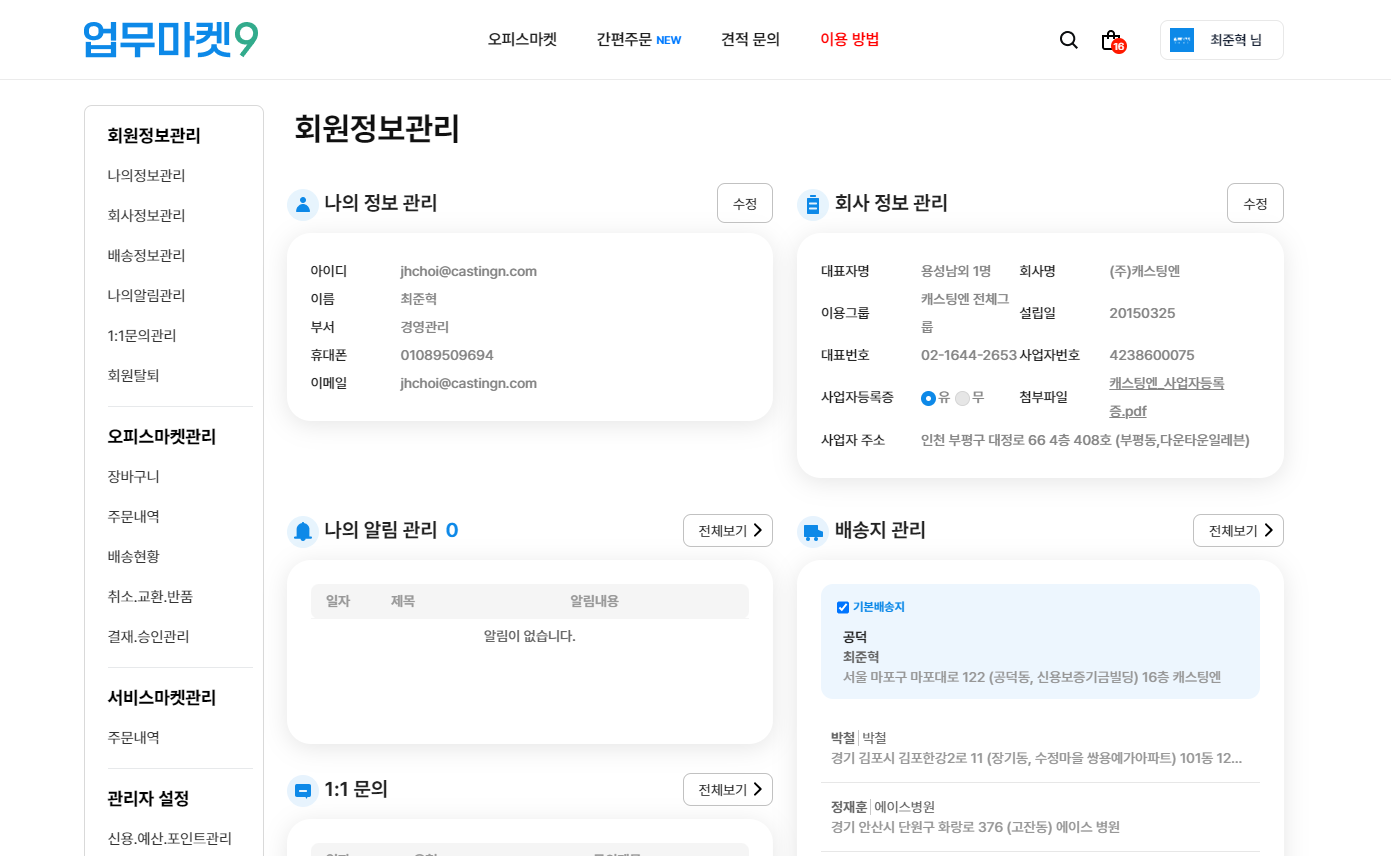
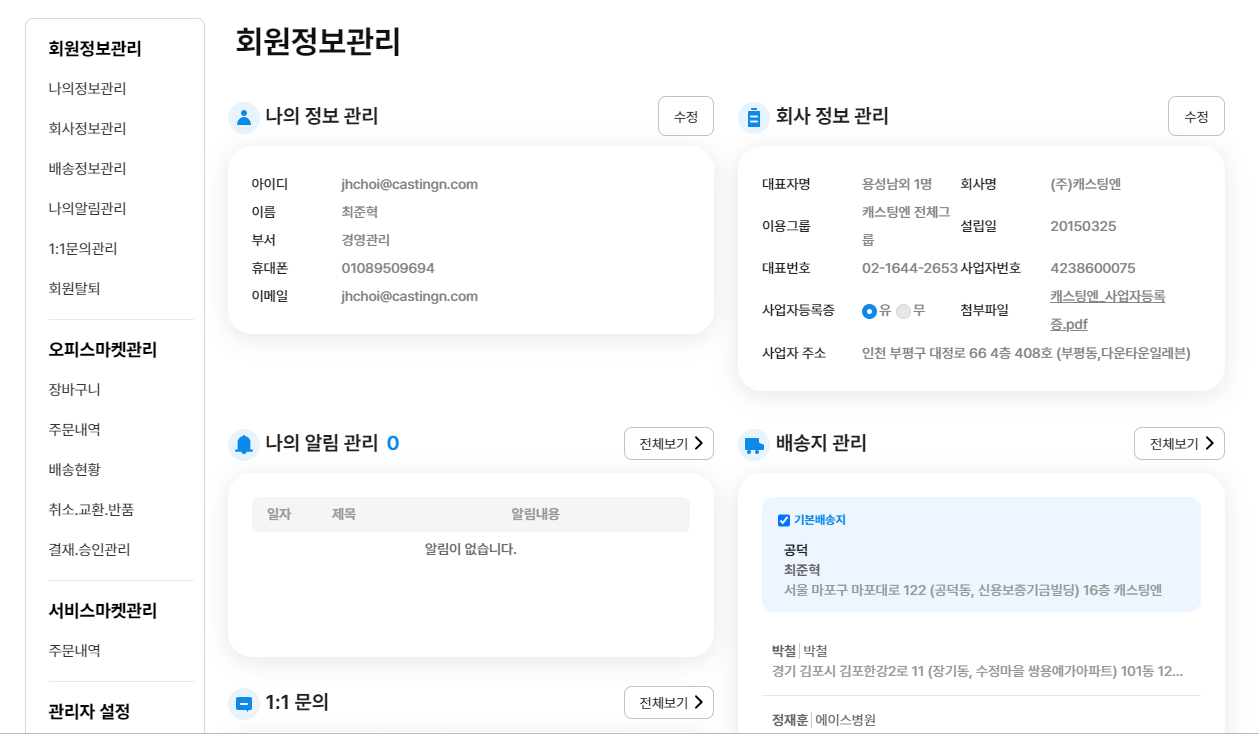
* :one: **회원정보 관리 :** 내 정보, 회사 정보, 배송 정보 등 정보 확인 및 수정
* :two: **오피스마켓 관리 :** 오피스마켓 관련 제품 구매에 대한 정보, 주문조회 및 결재 관리
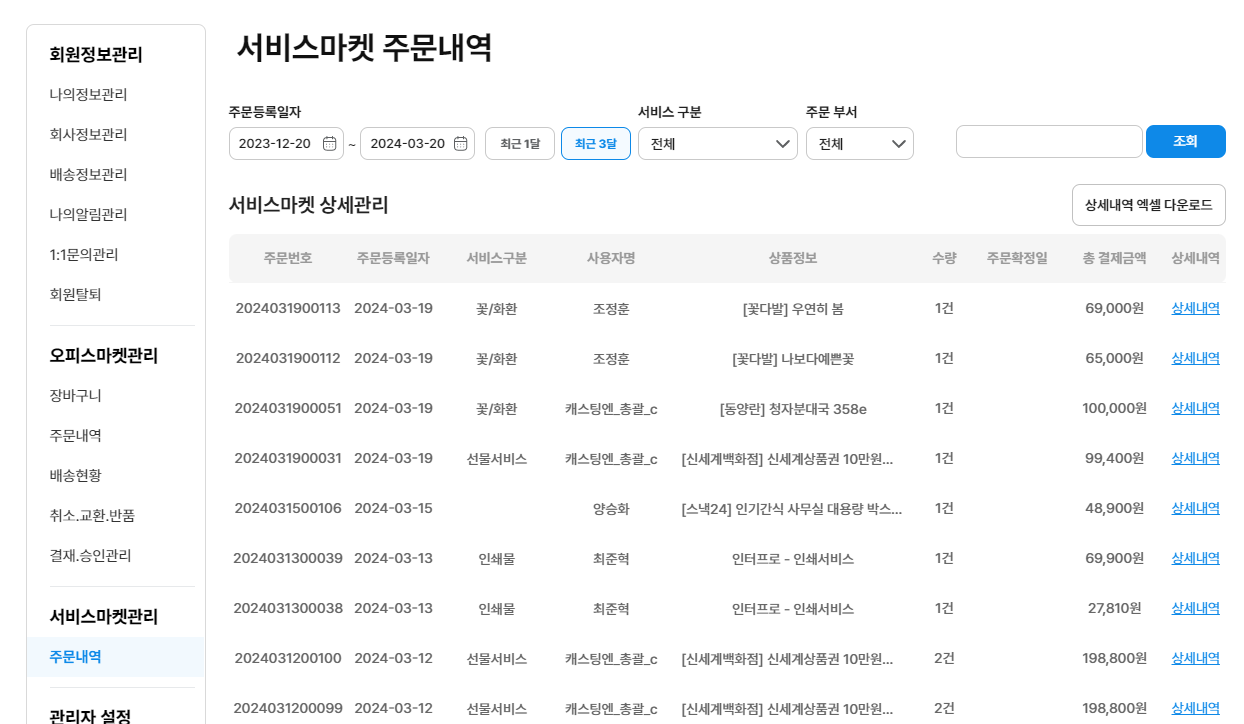
* :three: **서비스마켓 관리 :** 서비스마켓 관련 서비스구매에 대한 정보, 주문 조회 및 관리
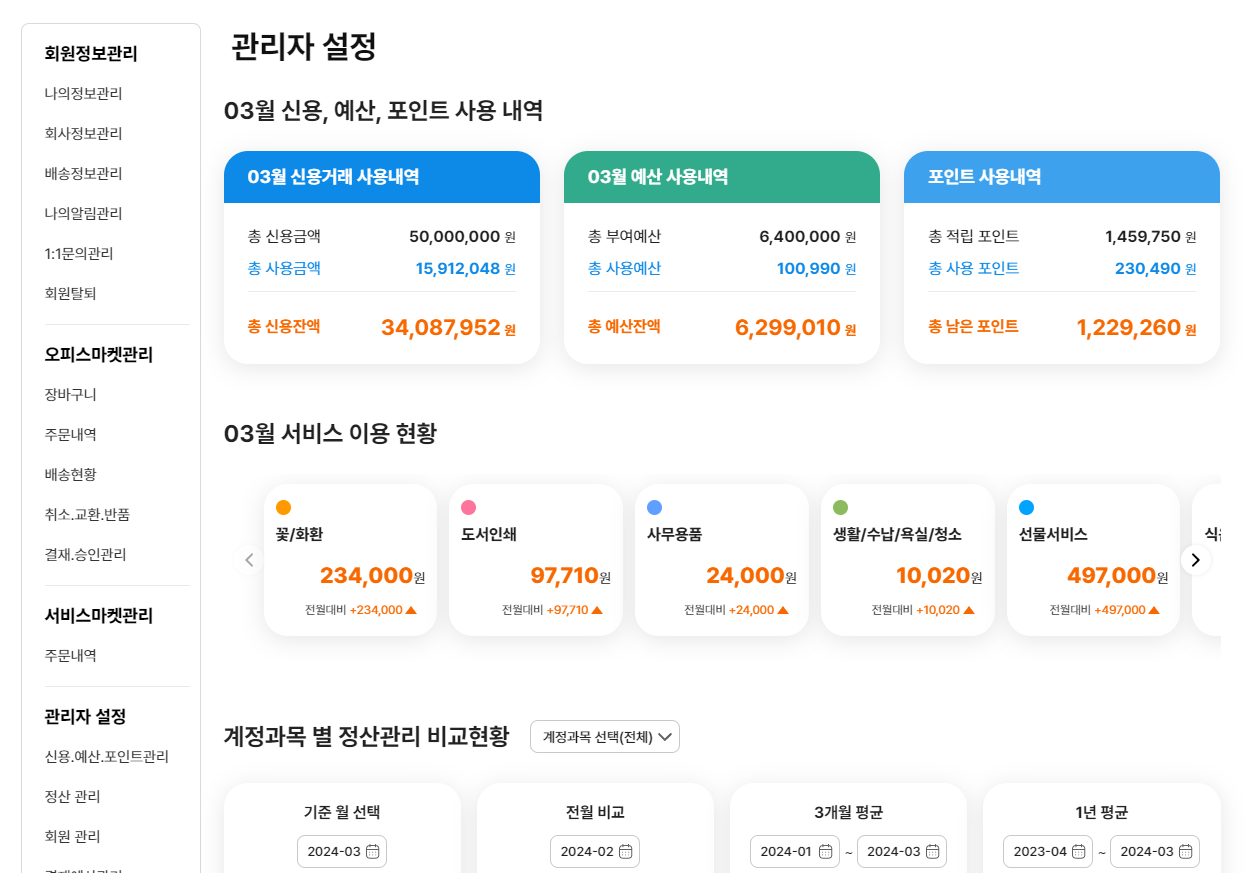
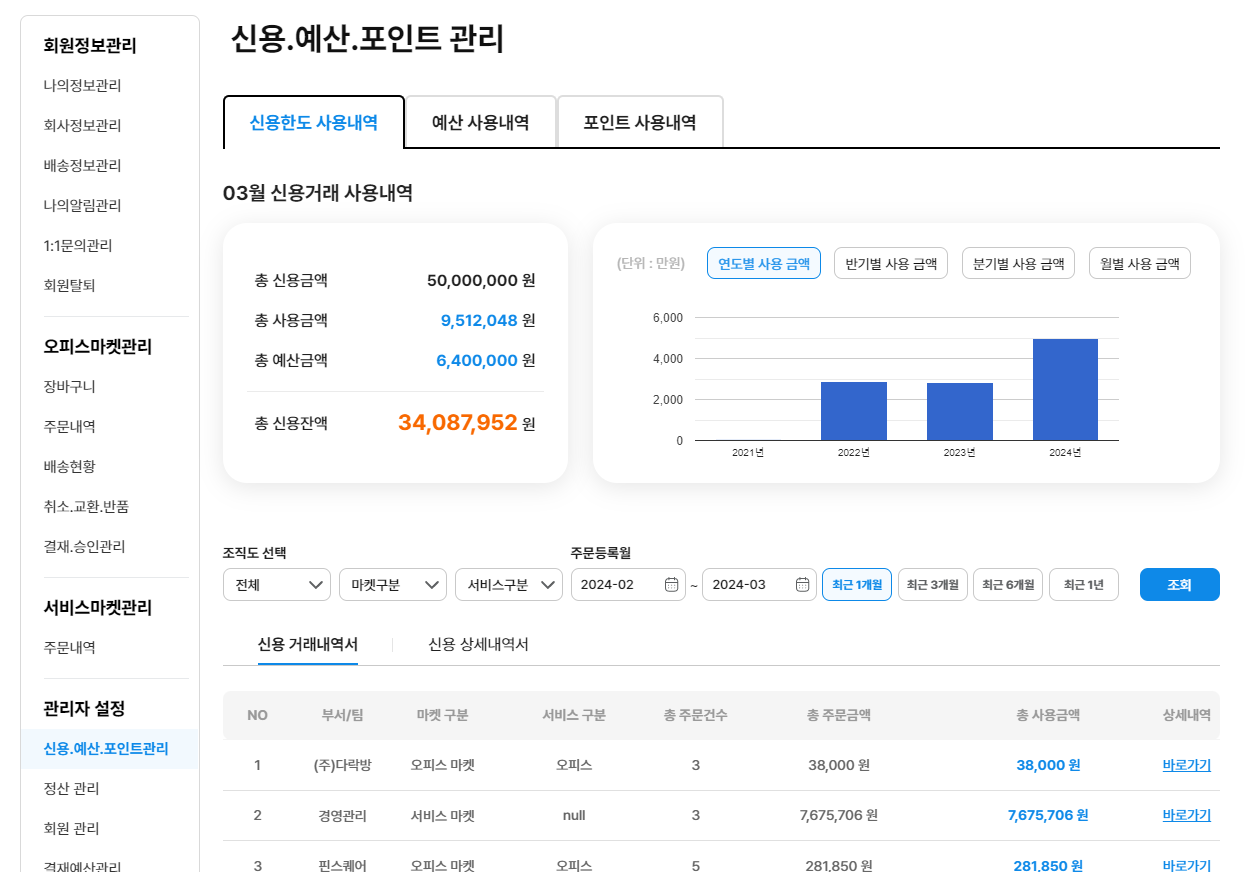
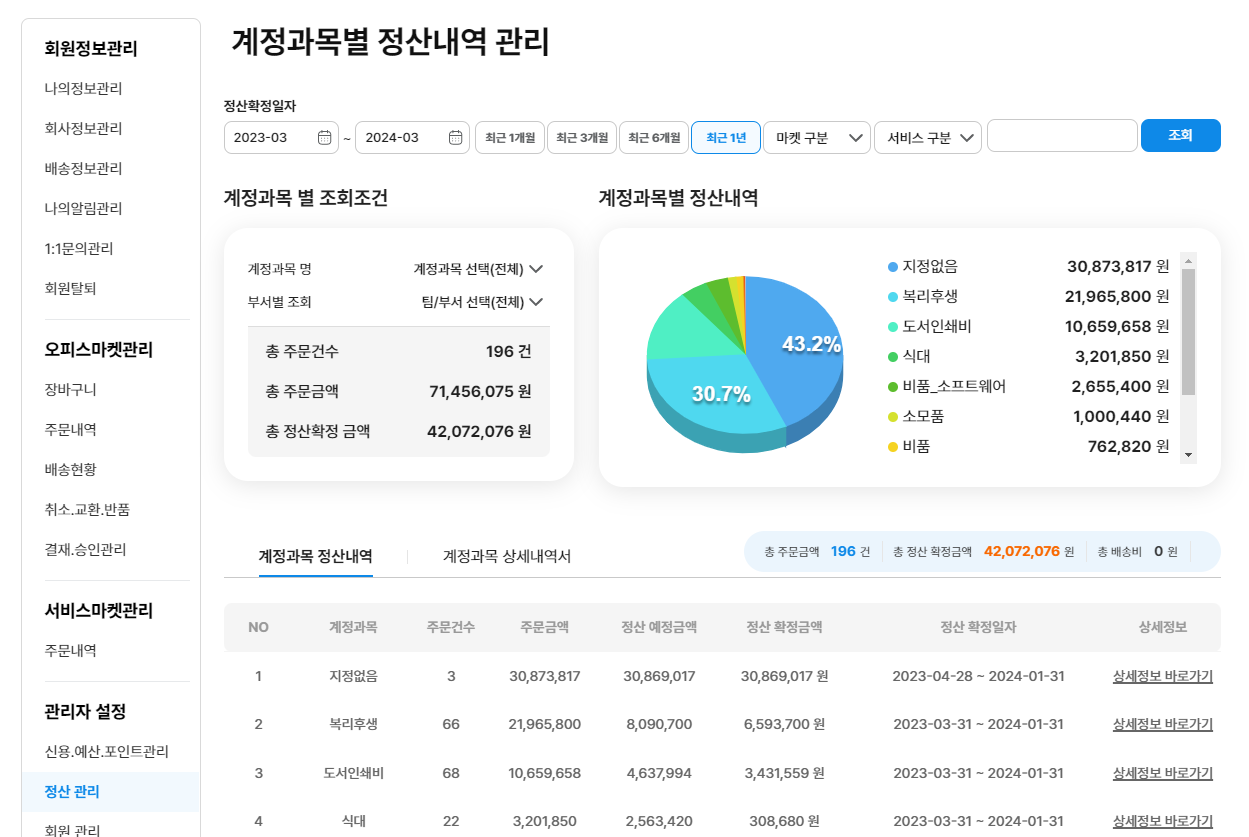
* :four: **관리자 설정****\***** :** 신용 거래, 예산, 포인트 사용내역, 정산 관리 및 조직도, 개별권한 관리
{% hint style="info" %}
**'관리자 설정' 메뉴는 관리자 계정만 접근 가능합니다.**
* 일반 계정에서는 노출되지 않습니다.
{% endhint %}
***
## #1 회원정보관리
* 내 정보, 회사 정보, 배송 정보 등 정보 확인 및 수정
{% tabs %}
{% tab title="회원정보관리" %}
:ballot\_box\_with\_check: **체크 포인트**
* 회원정보관리 관련 통합대시보드
{% endtab %}
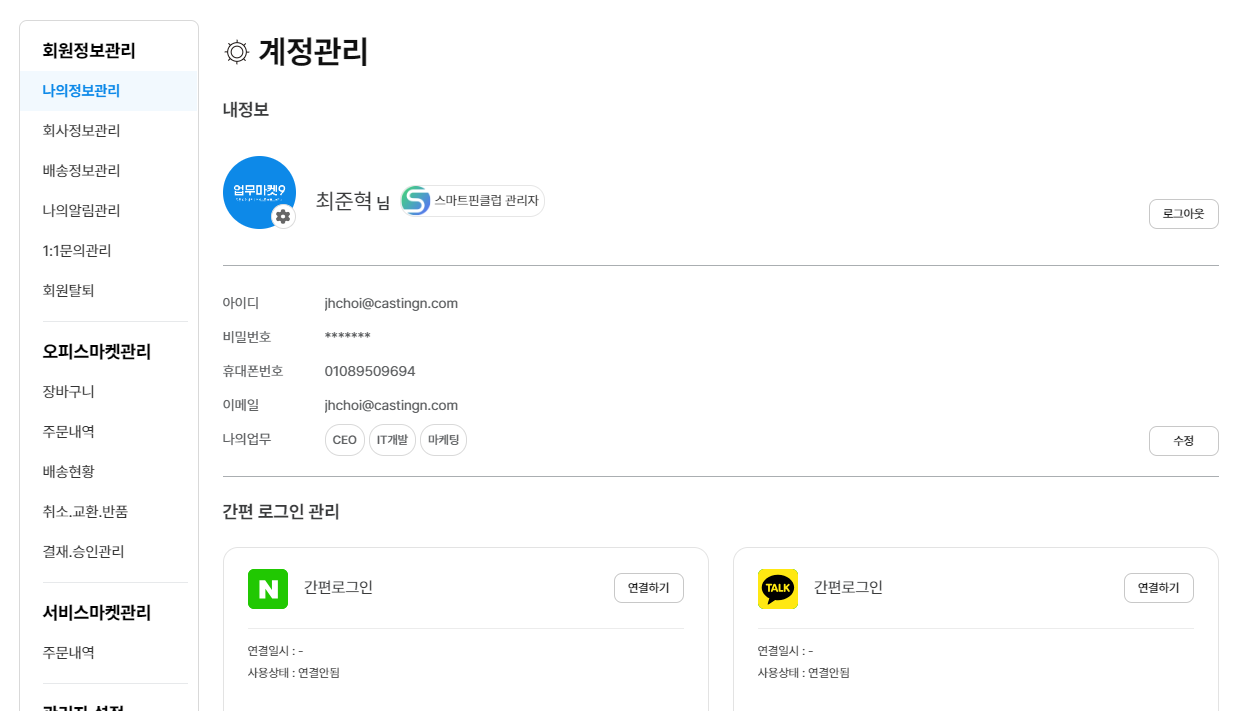
{% tab title="나의정보관리" %}
:ballot\_box\_with\_check: **체크 포인트**
* 계정 정보 변경
* 간편 로그인 관리(연결/해제)
{% endtab %}
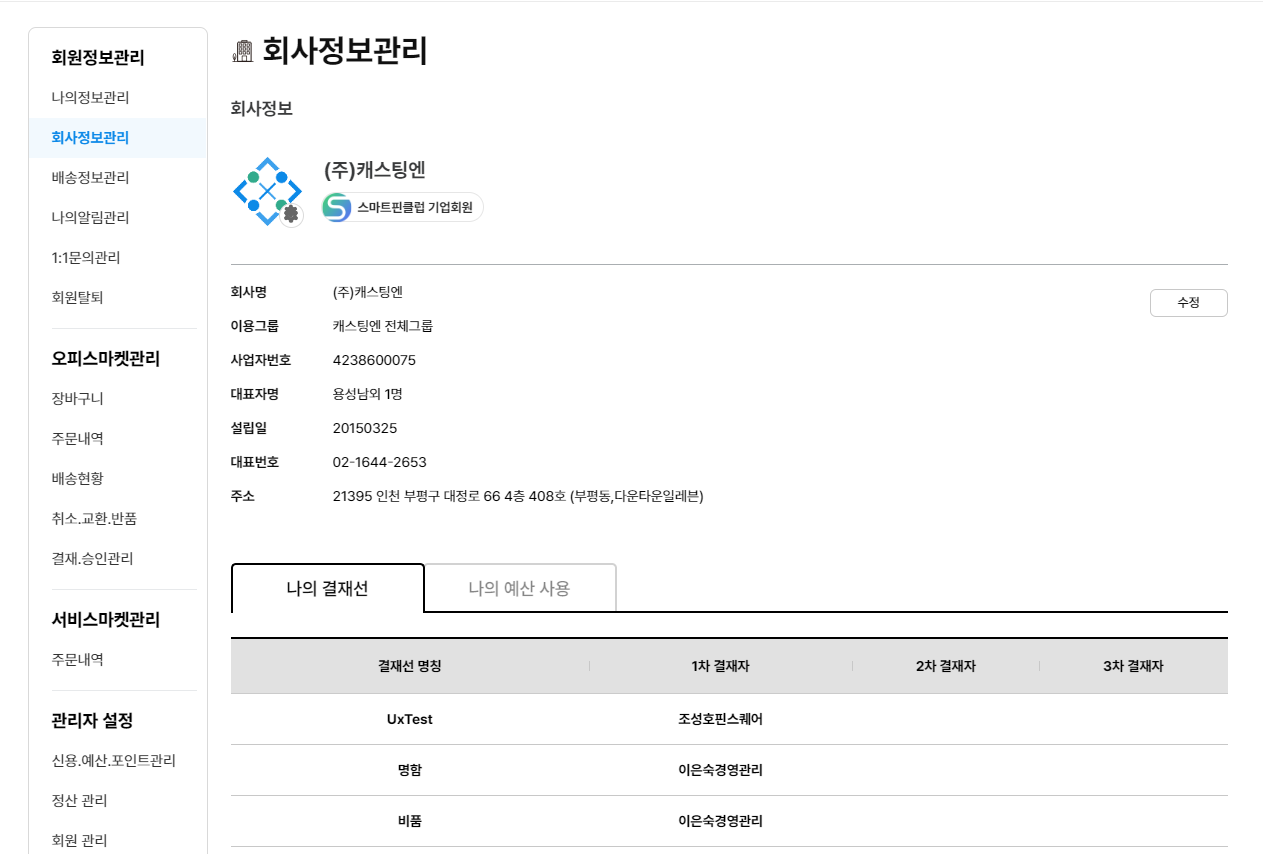
{% tab title="회사정보관리" %}
:ballot\_box\_with\_check: **체크 포인트**
* 회사정보 수정(\*관리자만 가능)
* 나의 결재선 정보 확인
* 나의 예산 사용 내역 확인
{% endtab %}
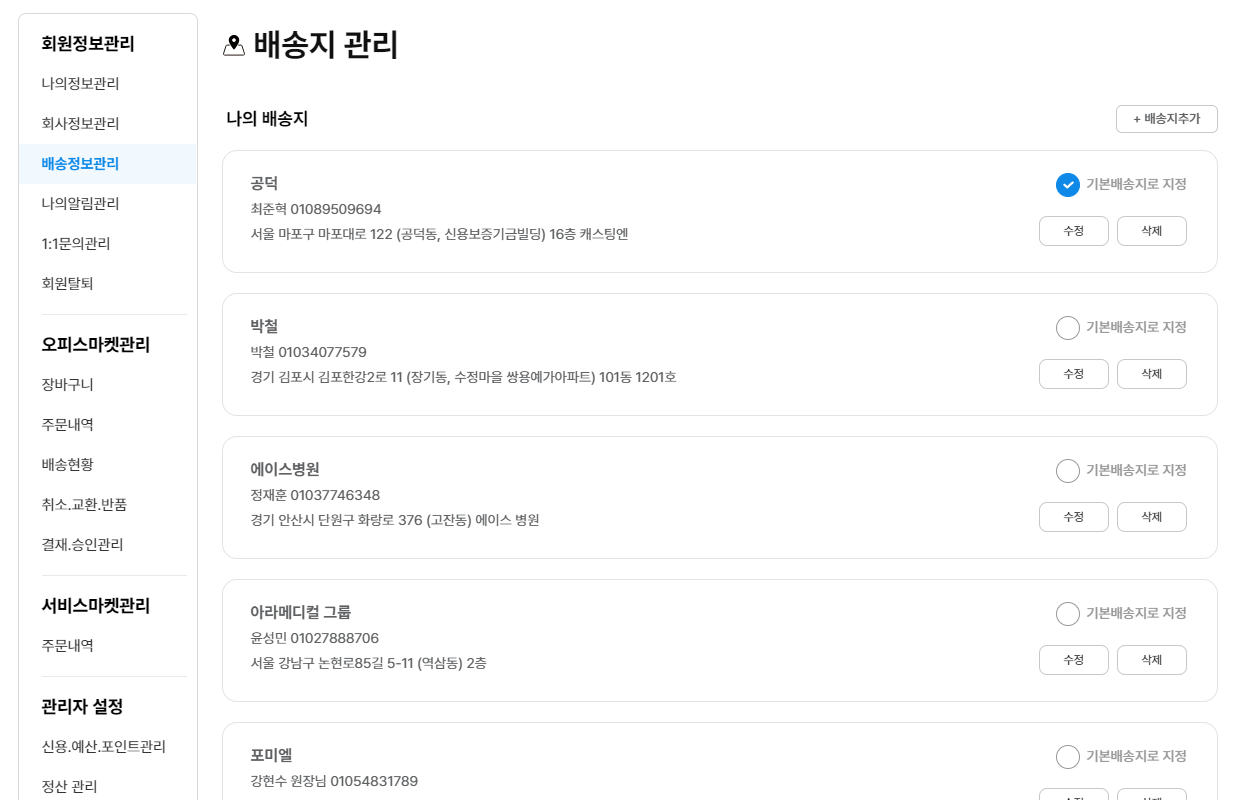
{% tab title="배송정보관리" %}
:ballot\_box\_with\_check: **체크 포인트**
* 배송지 확인 및 수정 관리 기능
{% endtab %}
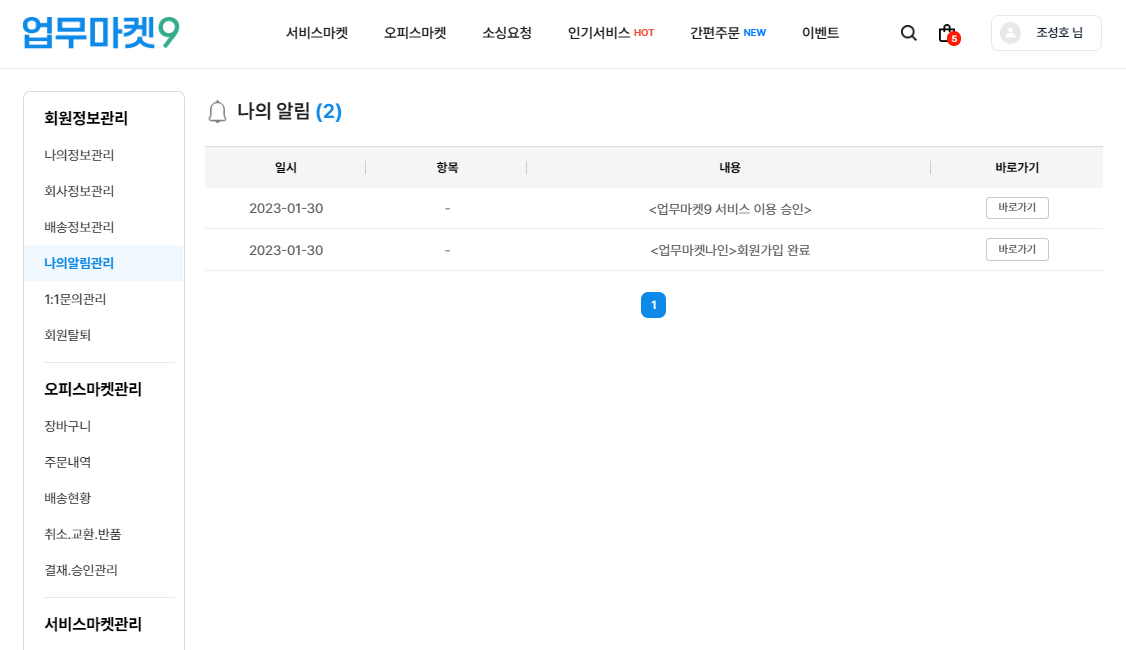
{% tab title="나의알림관리" %}
:ballot\_box\_with\_check: **체크 포인트**
* 최근 알림 확인
{% endtab %}
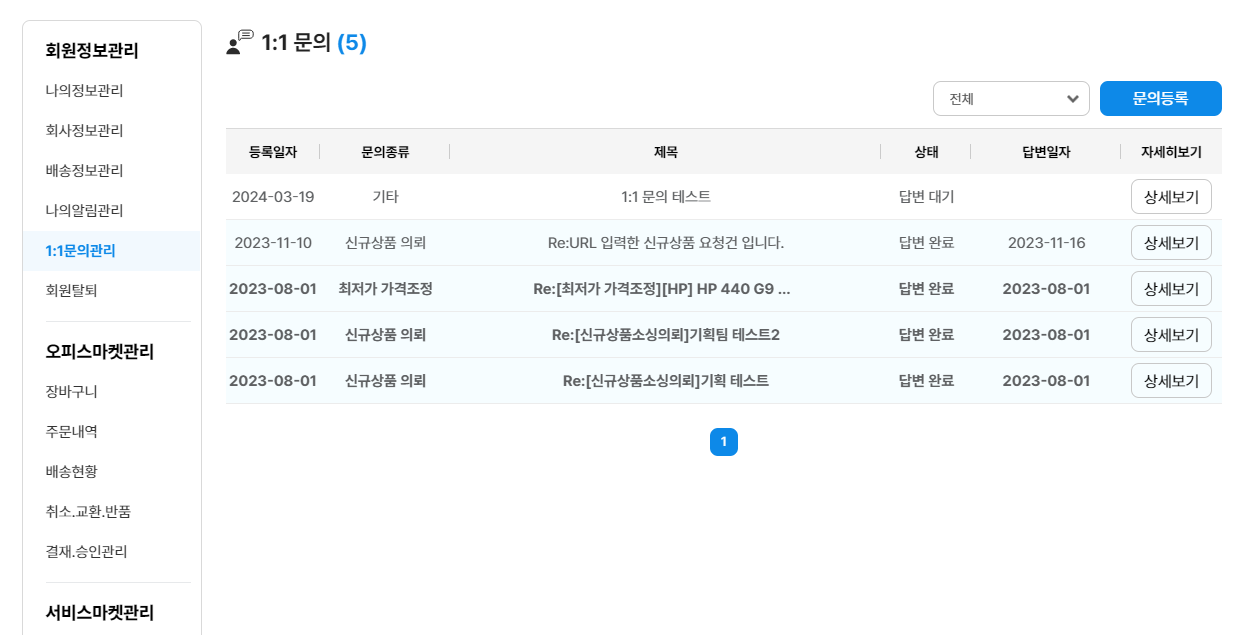
{% tab title="1:1문의 관리" %}
:ballot\_box\_with\_check: **체크 포인트**
* 1:1 문의 진행 내용 확인
{% endtab %}
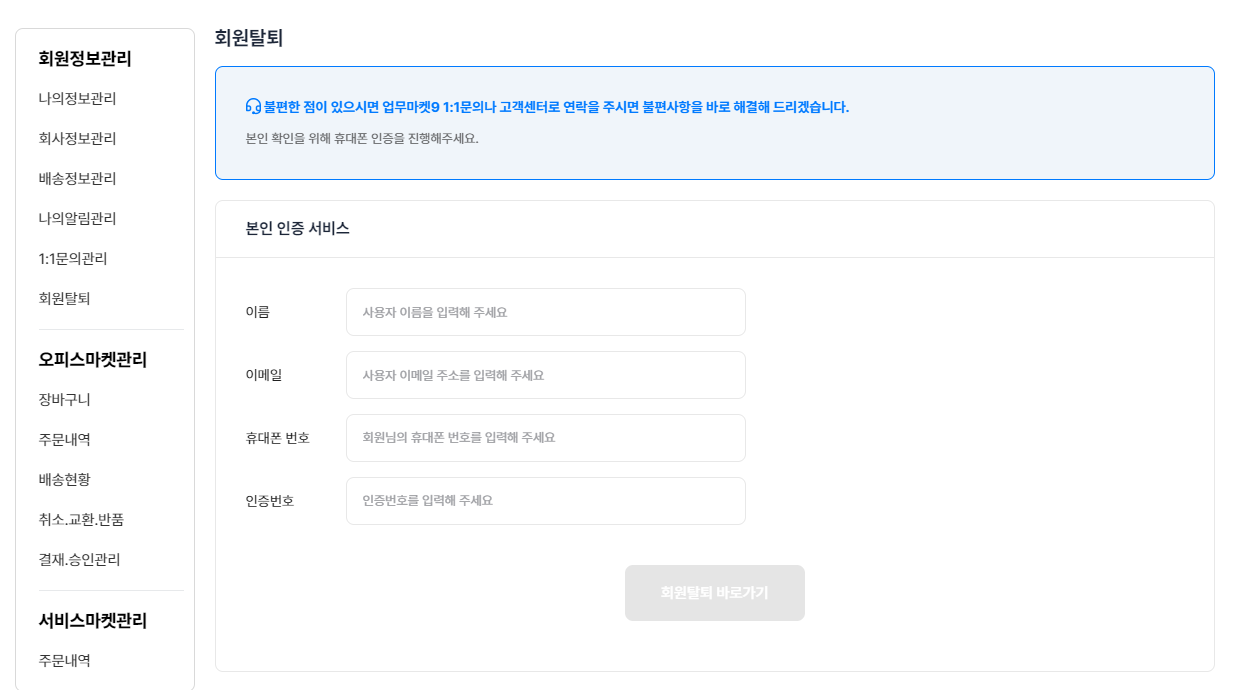
{% tab title="회원탈퇴" %}
:ballot\_box\_with\_check: **체크 포인트**
* 회원탈퇴(\*관리자의 경우, 업무마켓9에 문의 필요)
{% endtab %}
{% endtabs %}
### 회원정보관리 설명 바로가기
{% content-ref url="/pages/hDgDqEtWcSovvv27B7op" %}
[회원정보 관리](/w9/pages/mypage/info.md)
{% endcontent-ref %}
***
## #2 오피스마켓관리
* 오피스마켓 제품 구매와 관련된 정보, 주문조회 및 결재 관리
{% tabs %}
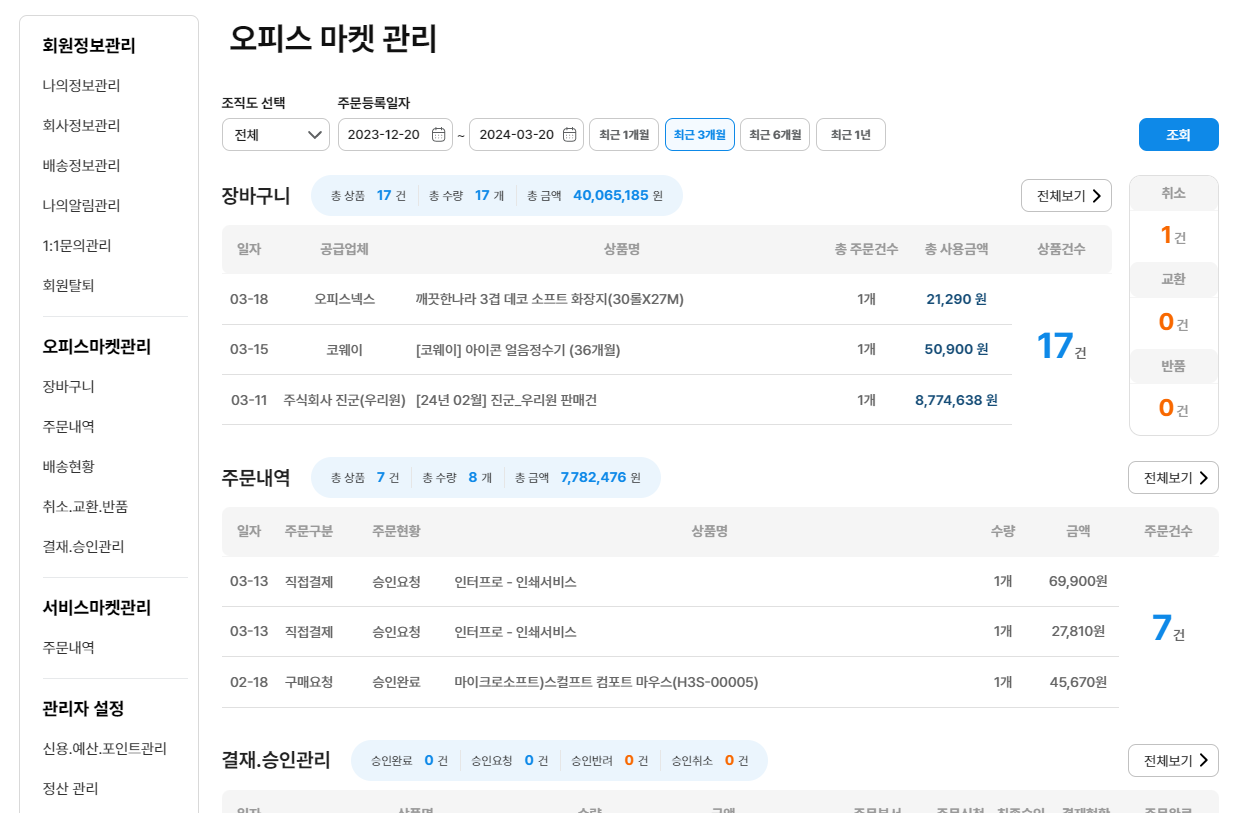
{% tab title="오피스마켓 관리" %}
:ballot\_box\_with\_check: **체크 포인트**
* 장바구니, 주문내역, 결재 관리 등 일자별, 월별, 연별 확인 가능한 통합대시보드
{% endtab %}
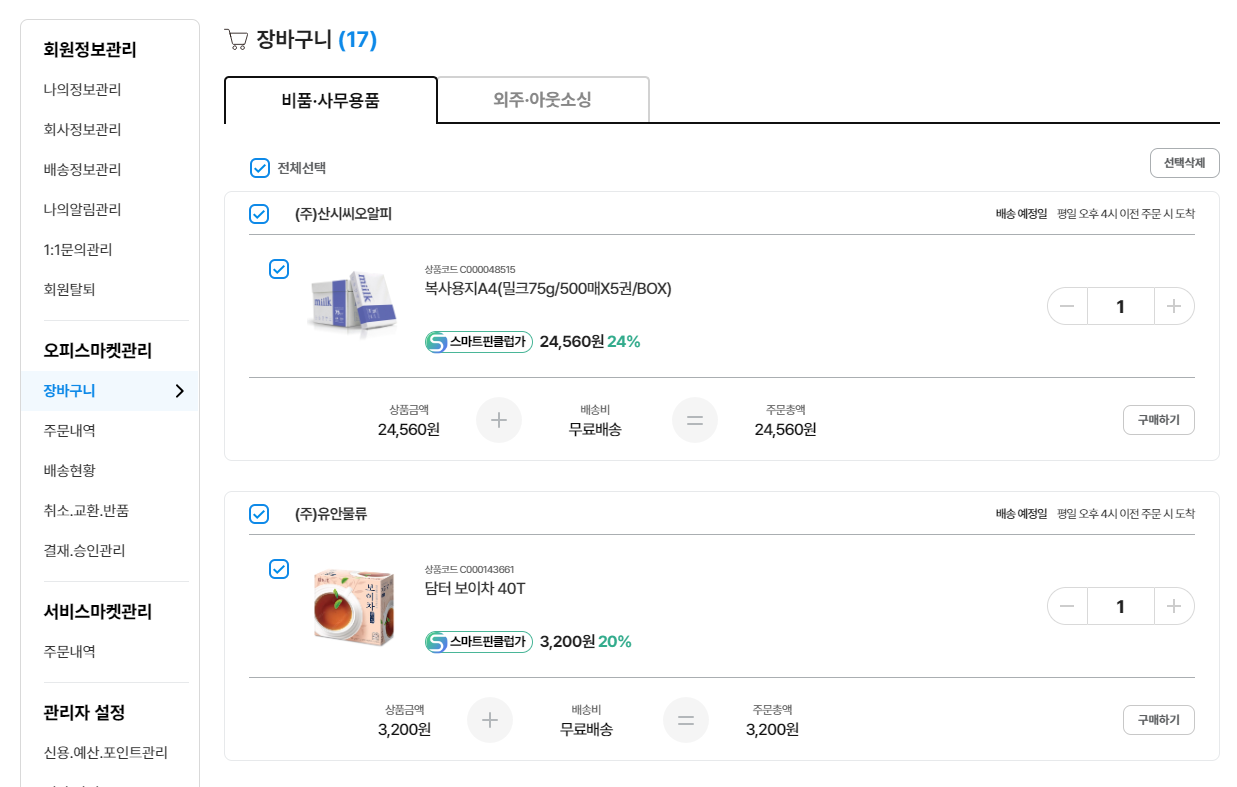
{% tab title="장바구니" %}
:ballot\_box\_with\_check: **체크 포인트**
* 장바구니에 담긴 비품, 소모품 및 외주 아웃소싱 제품을 확인 가능한 페이지
{% endtab %}
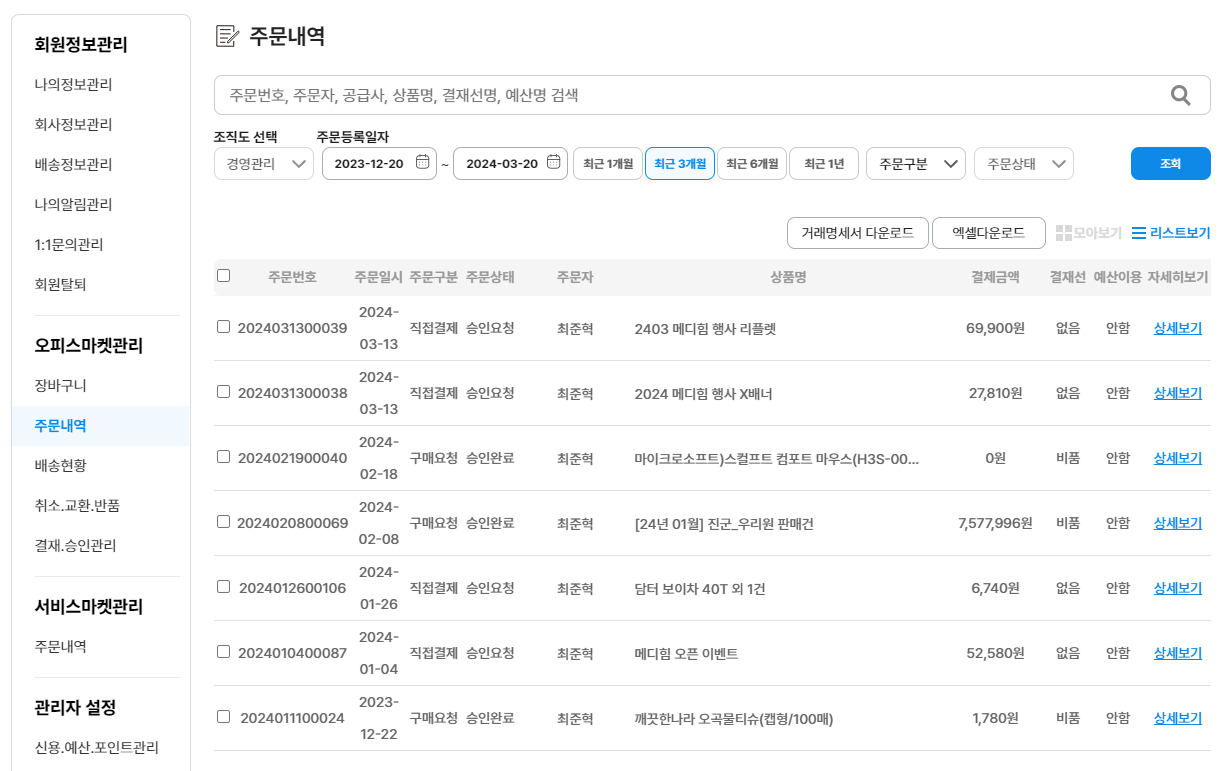
{% tab title="주문내역" %}
:ballot\_box\_with\_check: **체크 포인트**
* 주문 내역에 대한 상세 정보를 확인 가능한 페이지
{% endtab %}
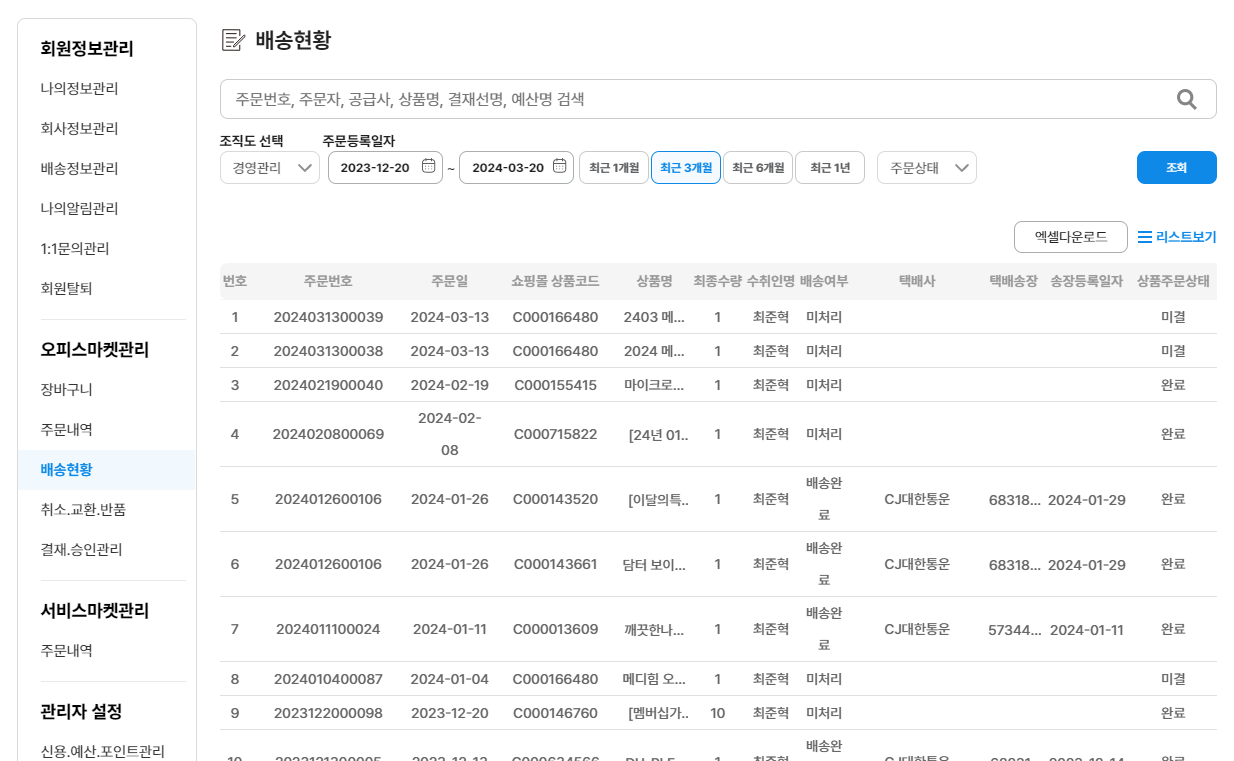
{% tab title="배송현황" %}
:ballot\_box\_with\_check: **체크 포인트**
* 배송 관련 내용을 확인할 수 있는 페이지
{% endtab %}
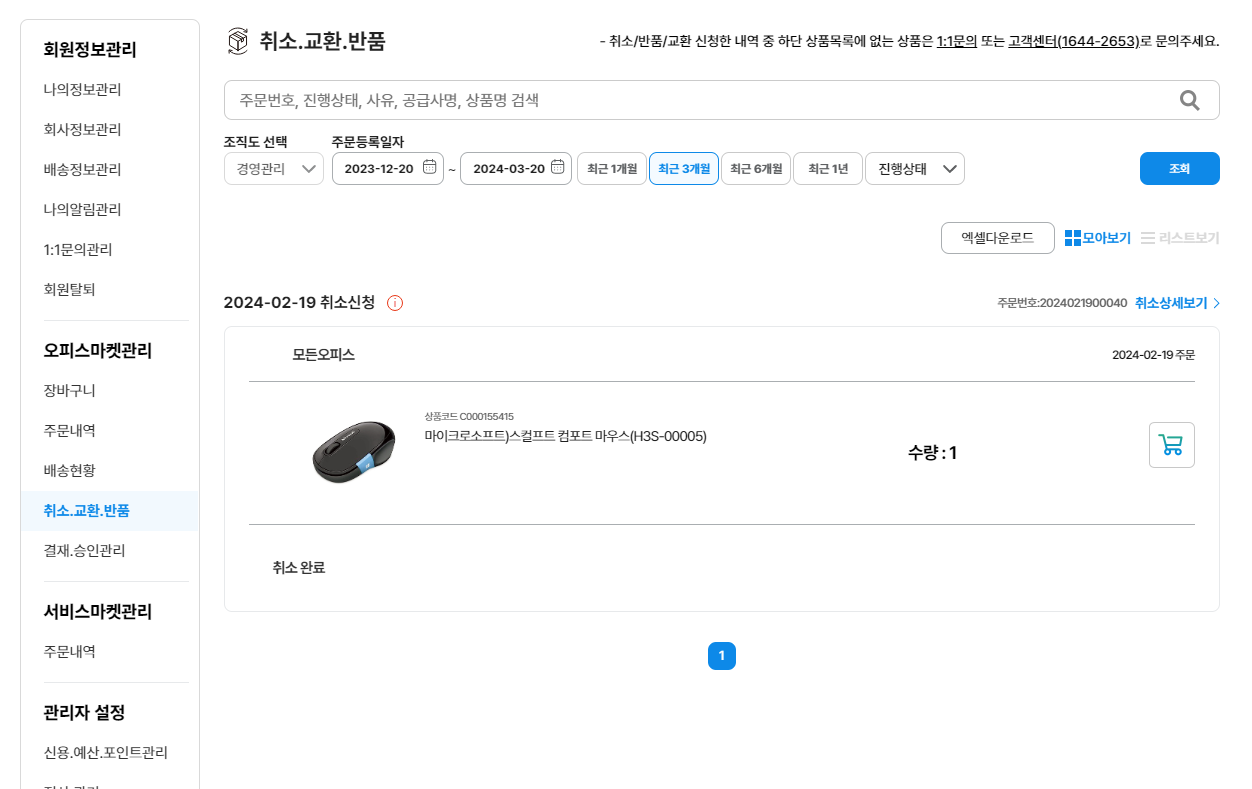
{% tab title="취소.교환.반품" %}
:ballot\_box\_with\_check: **체크 포인트**
* 취소/반품/교환 처리가 들어간 주문 건에 대해 확인 가능한 페이지
{% endtab %}
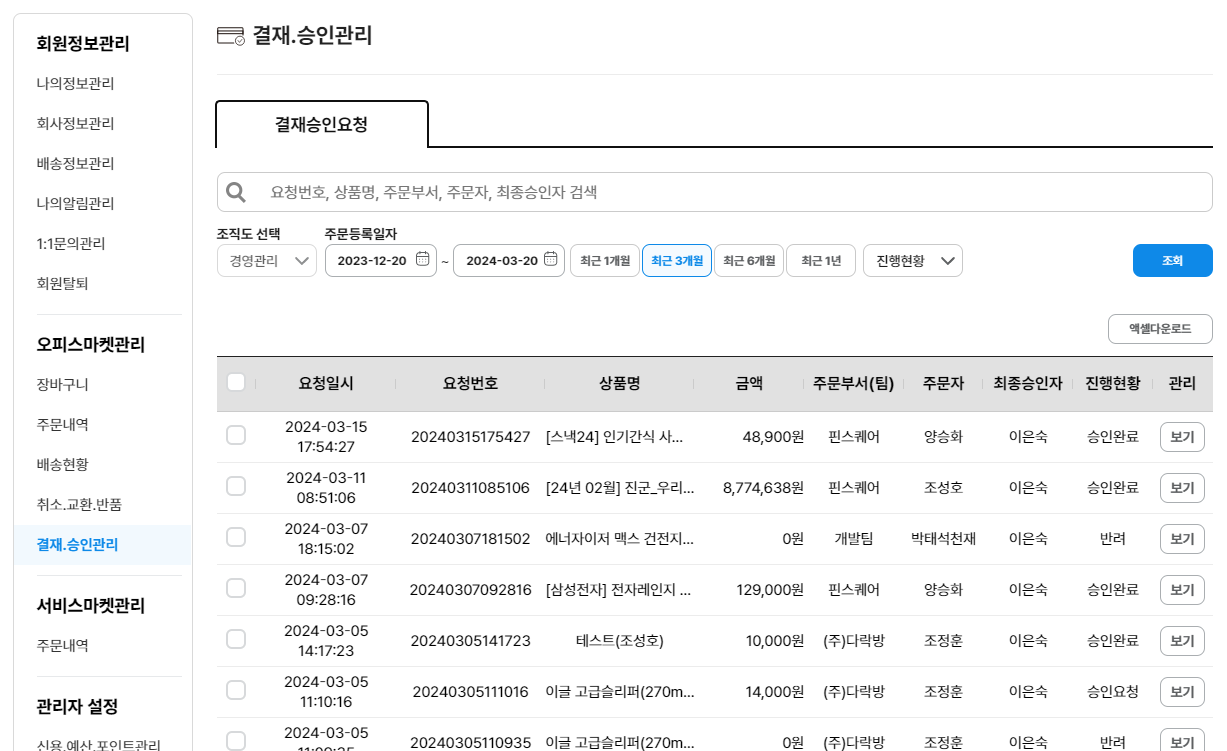
{% tab title="결재.승인관리" %}
:ballot\_box\_with\_check: **체크 포인트**
* 결재 승인 요청 건을 확인할 수 있는 페이지(\*내역은 관리자만 볼 수 있음)
{% endtab %}
{% endtabs %}
### 오피스마켓관리 설명 바로가기
{% content-ref url="/pages/QyrB7AIJ4kq6NKg1wda1" %}
[오피스마켓관리](/w9/pages/mypage/officeinfo.md)
{% endcontent-ref %}
***
## #3 서비스마켓관리
* 서비스마켓 관련 서비스구매에 대한 정보, 주문 조회 및 관리
{% tabs %}
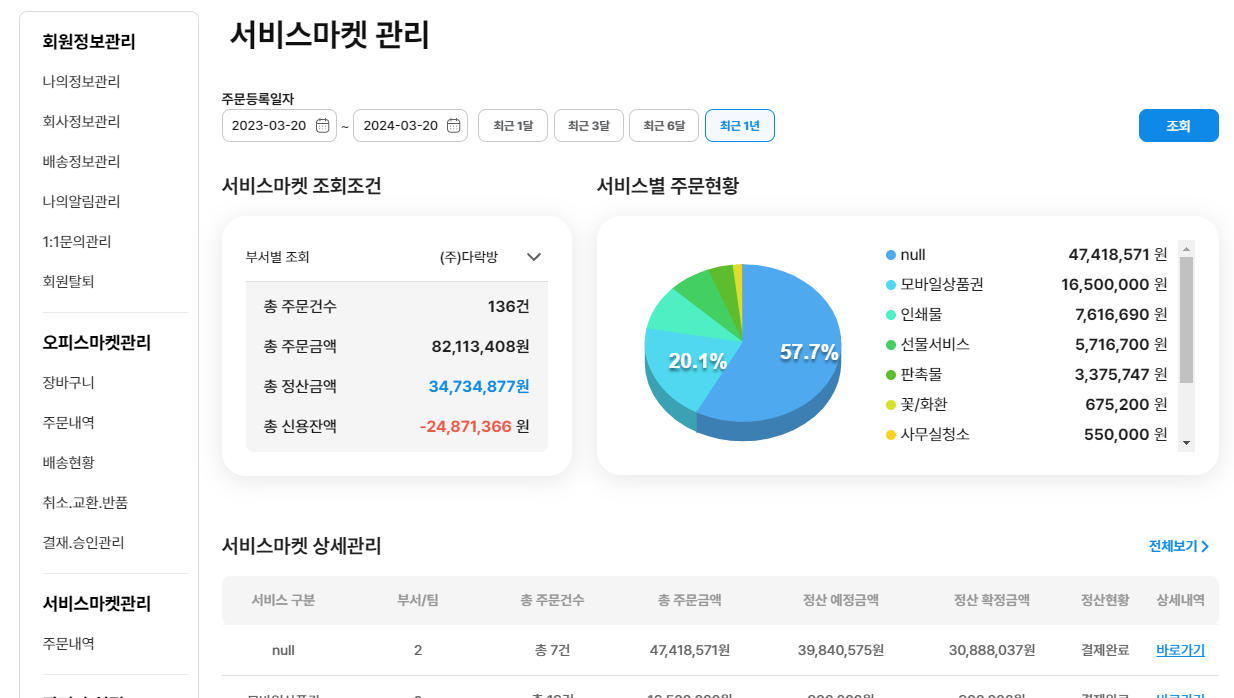
{% tab title="서비스마켓관리" %}
:ballot\_box\_with\_check: **체크 포인트**
* 서비스 마켓 관련 주문 내역에 대한 통합 대시보드
{% endtab %}
{% tab title="주문내역" %}
:ballot\_box\_with\_check: **체크 포인트**
* 서비스 마켓 관련 주문 내역을 확인 가능한 페이지
{% endtab %}
{% endtabs %}
### 서비스마켓관리 설명 바로가기
{% content-ref url="/pages/1Kfs9u1yudChf8v1JfEZ" %}
[서비스마켓관리](/w9/pages/mypage/serviceinfo.md)
{% endcontent-ref %}
***
## #4 관리자설정
* 신용 거래, 예산, 포인트 사용내역, 정산 관리 및 조직도, 개별권한 관리
{% tabs %}
{% tab title="관리자설정" %}
:ballot\_box\_with\_check: **체크 포인트**
* 신용, 예산, 정산 등 사용 내역에 대한 현황을 확인할 수 있는 통합 대시보드
{% endtab %}
{% tab title="신용.예산.포인트" %}
:ballot\_box\_with\_check: **체크 포인트**
* 신용, 예산, 포인트 사용 내역 조회
{% endtab %}
{% tab title="정산관리" %}
:ballot\_box\_with\_check: **체크 포인트**
* 카테고리별 정산 내역 확인 및 조회
{% endtab %}
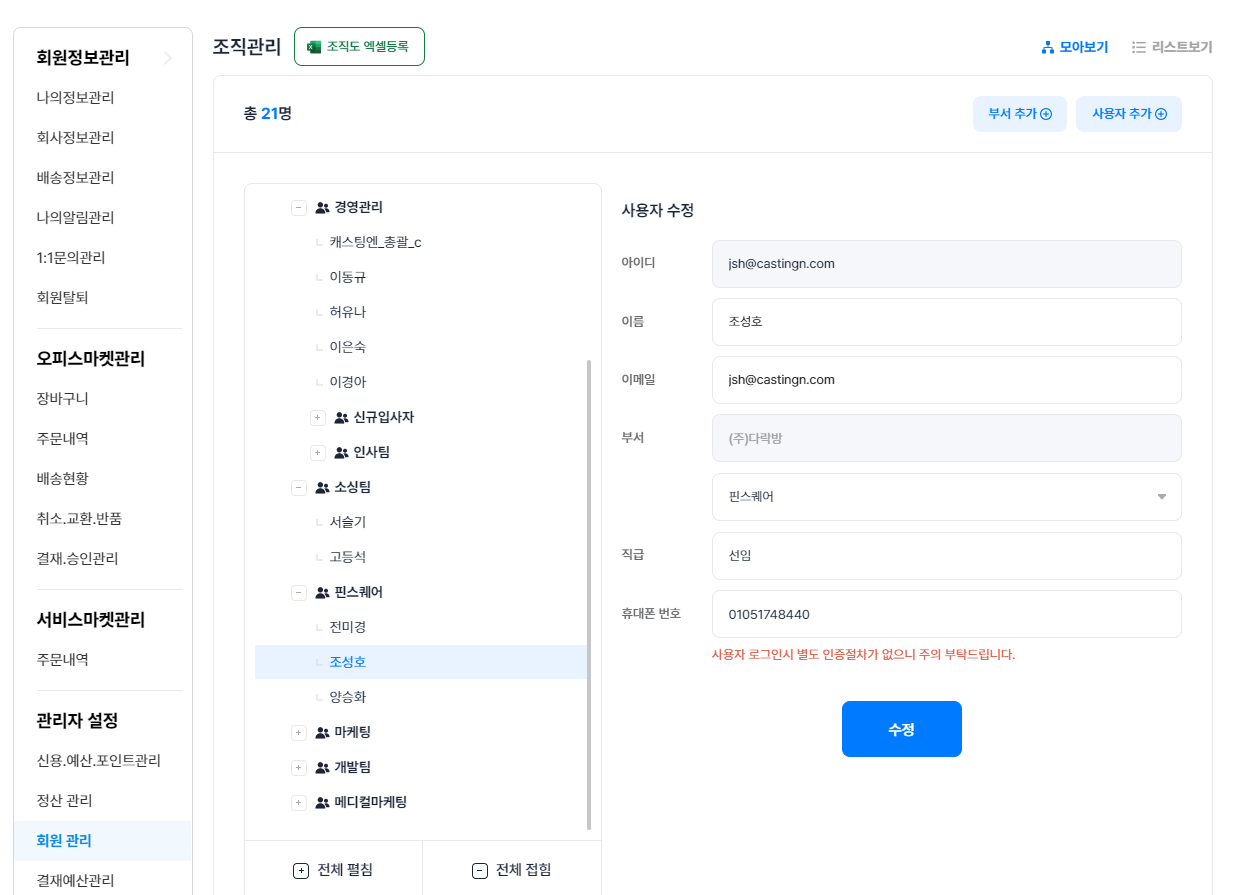
{% tab title="조직도관리" %}
:ballot\_box\_with\_check: **체크 포인트**
* 전체 조직도 관리 및 수정(부서 및 사용자 추가)
* 파일(엑셀) 업로드
{% endtab %}
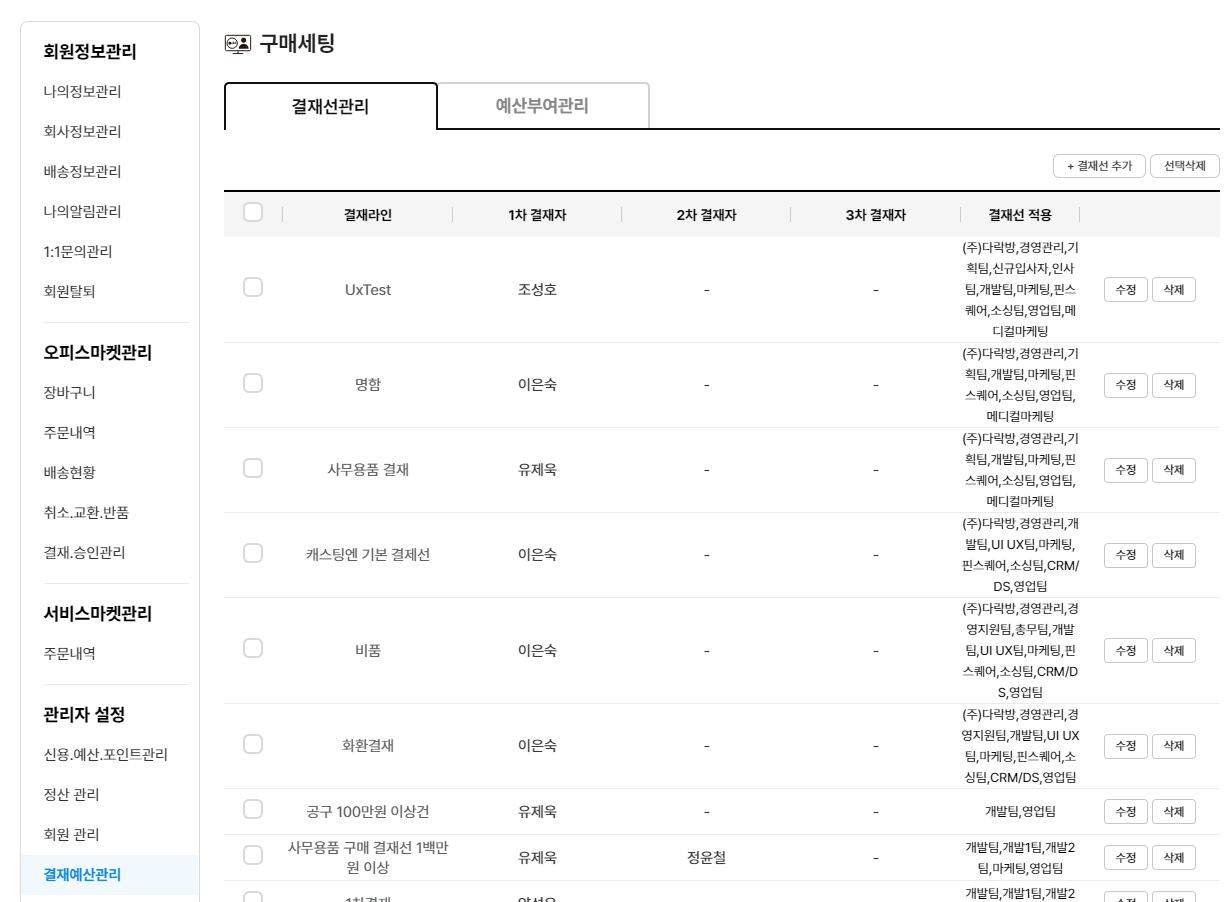
{% tab title="결재선.예산관리" %}
:ballot\_box\_with\_check: **체크 포인트**
* 조직 내 결재선 관리(추가, 수정, 삭제)
* 프로젝트별, 팀별, 사용자별 예산 부여 관리
{% endtab %}
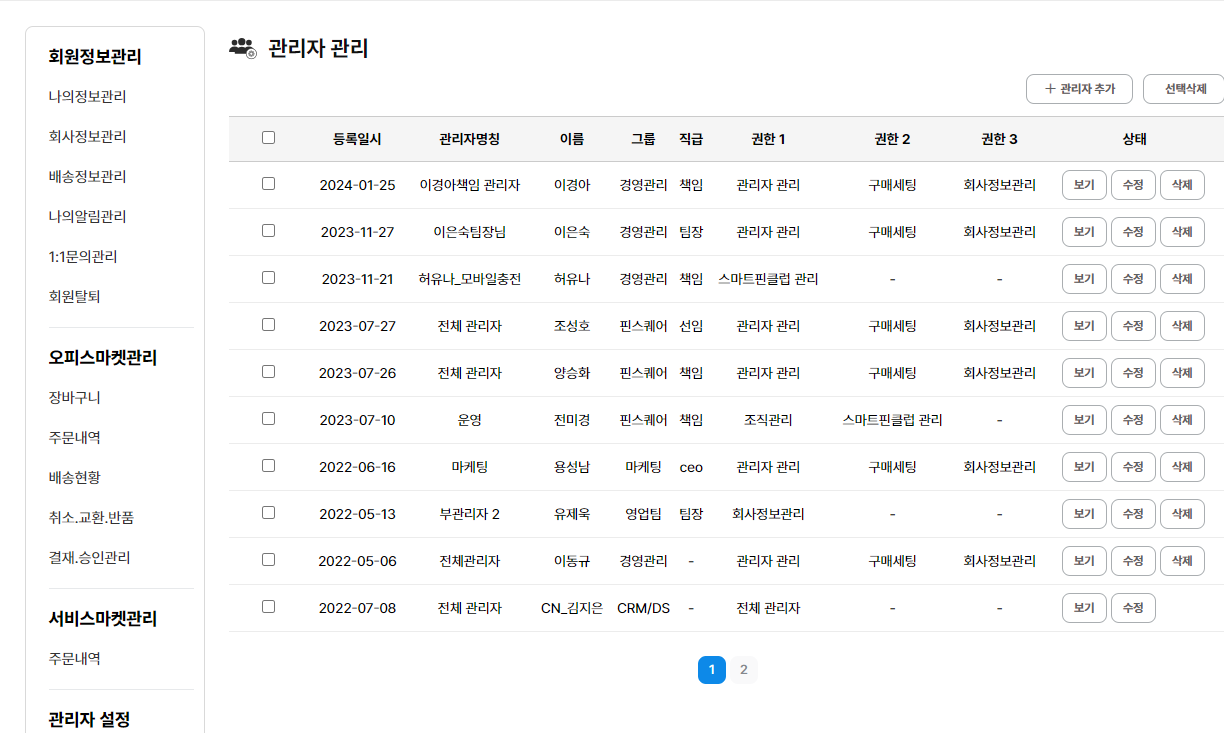
{% tab title="권한 설정 관리" %}
:ballot\_box\_with\_check: **체크 포인트**
* 관리자 권한 부여(단계별 권한 설정 가능)
{% endtab %}
{% endtabs %}
### 관리자설정 설명 바로가기
{% content-ref url="/pages/v6wi8CksdGKUsbe9O36u" %}
[관리자 설정](/w9/pages/mypage/admininfo.md)
{% endcontent-ref %}
***
{% hint style="success" %}
**마이페이지의 각 페이지별 기능을 확인하셨나요?**
그렇다면 이제 각 관리 페이지별 세부 기능을 확인하러 가보시죠!
{% endhint %}
***